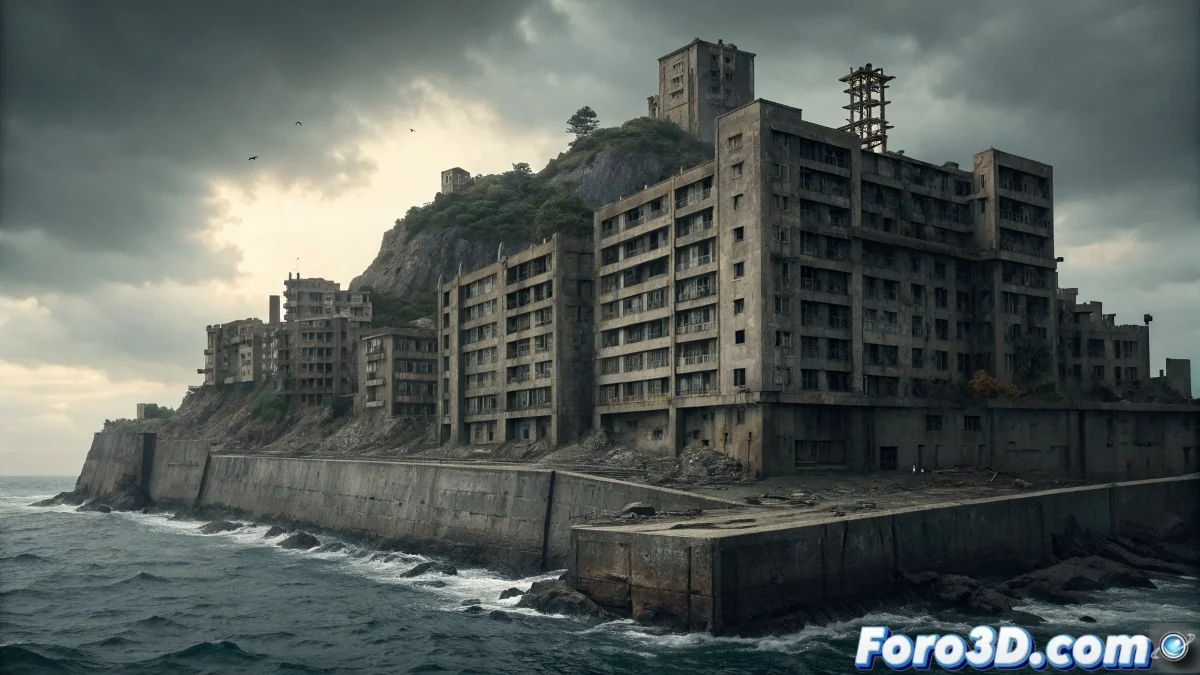
Modeling Hashima Island (Gunkanjima) in SketchUp for Post-Apocalyptic Scenes
The Hashima Island in Japan, known as Gunkanjima (Battleship Island), represents one of the most fascinating examples of modern industrial abandonment, where a thriving mining city with the world's highest population density was abruptly abandoned in 1974, leaving behind an intact yet ruined urban landscape that stands as a silent testament to the rise and fall of the coal industry. 🏝️
Historical Context and Cultural Significance
This 6.3-hectare fortified island off the coast of Nagasaki was a crucial mining center from 1887 to 1974, reaching a population density of 83,500 people per km² in 1959. The abrupt abandonment due to coal depletion instantly preserved the city, creating a time capsule of mid-20th-century Japanese industrial life that is now slowly crumbling under the elements.
Characteristic Architectural Elements:- 9-story concrete apartment blocks (Japan's first)
- Perimeter retaining wall giving it a battleship shape
- Abandoned mining structures and vertical shafts
- Ruined school, hospital, temple, and community center
- Networks of elevated walkways and interconnected tunnels
A chilling reminder that civilization can disappear overnight - Description of Hashima's atmosphere
Research and Architectural Documentation
It is essential to gather comprehensive reference material due to Hashima's unique complexity: aerial photographs, historical plans, documentaries, and virtual tours to understand the unique three-dimensional layout of this vertical island-city.
Essential Reference Sources:- Current aerial and satellite photographs
- Historical images from when it was inhabited
- Architectural plans of the main buildings
- Documentation from recent urban exploration expeditions
- Existing 3D models and LIDAR data
Step by Step: Modeling in SketchUp Pro
1. Initial Project Setup
Open SketchUp Pro 2023 and set units to meters. Set the approximate geolocation of Hashima (32°37'40"N 129°44'18"E) for accurate solar lighting. Create organized layers for: terrain, main buildings, minor structures, and details.
2. Terrain and Perimeter Modeling
Recreate the unique battleship shape: - Use the Arc tool for the characteristic oval outline - Extrude the perimeter to create the 12m retaining wall - Model the interior topography with height variations - Create the destroyed bridge connection to the mainland
3. Main Apartment Blocks
Build the iconic residential buildings: - Model Building 30 (9 stories) with concrete facade - Recreate the characteristic balconies with metal railings - Include exterior fire escapes - Add uniform windows with aluminum frames
4. Mining Industrial Structures
Develop the industrial infrastructure: - Model the main mine shaft with its extraction tower - Create conveyor belts and processing systems - Include engine rooms and maintenance workshops - Add coal depots and loading areas
5. Community Buildings and Services
Incorporate the social infrastructure: - Model the school with its characteristic courtyard - Recreate the 3-story hospital with its arched windows - Include the Shinto temple and community center - Add public baths and collective laundries
6. Circulation Networks and Connections
Create the vertical mobility system: - Model elevated walkways between buildings - Include exterior stairs and access ramps - Recreate underground connection tunnels - Add disused industrial elevators
7. Deterioration and Abandonment Details
Add signs of decay: - Create geometry for collapsed sections - Model exposed beams and damaged structures - Include invasive vegetation in cracks and rooftops - Add debris and accumulated waste
8. Components and Smart Grouping
Organize the model efficiently: - Convert repetitive buildings into components - Group elements by structural systems - Use layers for visibility control - Apply tags for materials and conservation states
9. Precise Scales and Proportions
Verify real dimensions: - Use the tape measure to validate building heights - Compare constantly with reference photographs - Adjust window density according to documentation - Maintain coherence in human scales
10. Export Preparation
Optimize for rendering engines: - Clean duplicate geometry and hidden faces - Apply basic materials for identification - Export as FBX or OBJ preserving hierarchies - Generate floor plans and elevations for reference
Advanced Modeling Techniques
For professional results, master the use of plugins like Curviloft for complex surfaces, use Dynamic Components for repetitive elements, and develop parametric systems for credible structural variations. 🏗️
Recommended Advanced Techniques:- Curviloft for complex organic surfaces
- Dynamic Components for intelligent repetitions
- Fredo Tools for advanced modeling
- Vertex Tools for organic editing
Integration with Rendering Engines
When exporting to V-Ray or Lumion, prepare materials with consistent naming conventions, optimize geometry for real-time rendering, and use instancing for repetitive elements like windows and railings to maximize performance.
Digital Preservation of Industrial Memory
Modeling Hashima Island in SketchUp transcends the technical exercise to become digital cultural preservation, capturing not only the geometry of a ghost city, but the essence of an industrial way of life that disappeared abruptly, serving as an architectural document for future generations. 📐