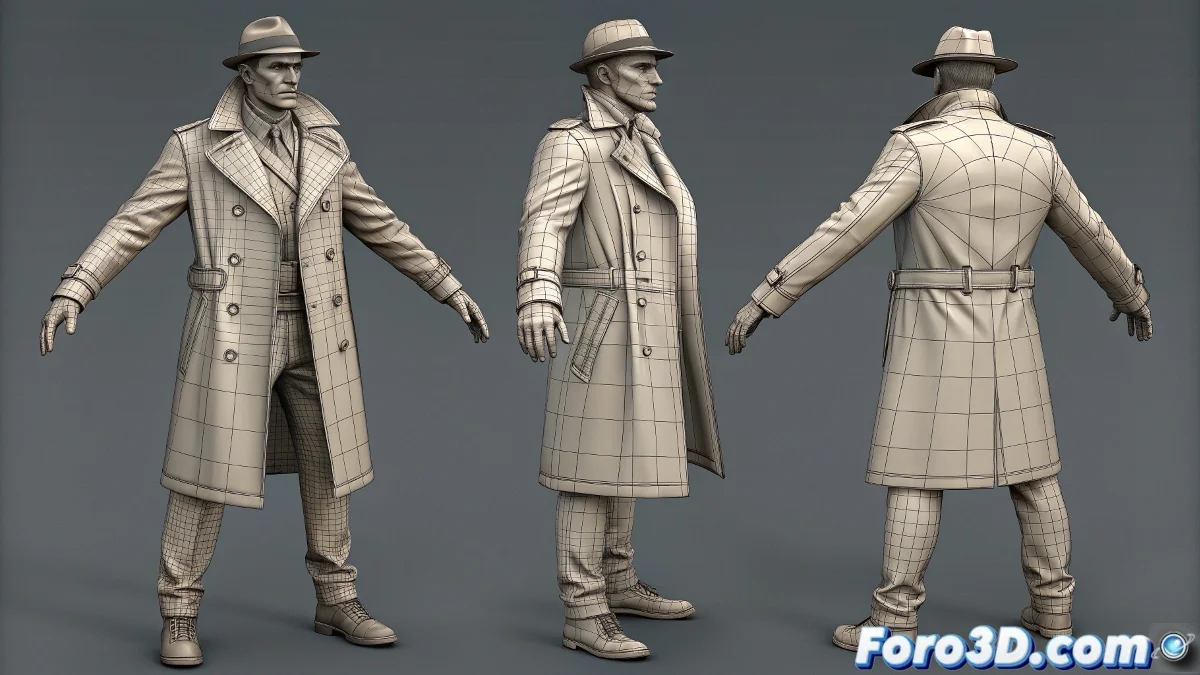
The Challenge of Posing Complex Characters in ZBrush
Bringing life and dynamism to a character in ZBrush can turn into a logistical nightmare when multiple subtools are involved 🎭. Layers of clothing, flowing trench coats, and various accessories need to move coherently while maintaining the integrity of the sculptural details. Transpose Master emerges as the unsung hero that allows manipulating all this complexity through an intelligent temporary rig.
Strategic Preparation: Organization and Protection
Before even thinking about activating Transpose Master, meticulous preparation makes the difference between success and disaster. Organizing subtools into logical groups—merging elements that must move as a single unit—and protecting critical areas with masks prevents those catastrophic deformations that ruin hours of detailed work 🛡️.
A well-placed mask is worth more than a thousand corrections.
The Dance of the Low-Resolution Temporary Version
When activating Transpose Master, ZBrush magically generates a unified low-resolution version of all visible subtools. This simplified representation allows manipulating the entire character with standard Transpose tools, making it possible to rotate, move, and scale the model as if it were a single piece. The key is to work from general to specific, establishing global poses first before refining the subtlest details 💃.
- Strategic Selection: Decide which subtools to include in the operation
- Mask Handling: Protect folds and critical details
- Progressive Movement: Adjust poses in controlled increments
- Preview Visualization: Anticipate how the pose will transfer
Pose Transfer and Refinement
The moment of truth arrives when transferring the pose back to the high-resolution subtools. This process, although automatic, requires careful verification. Areas like fluid clothing or thin accessories may need additional adjustments by repeating the process with more specific masks or subtler movements 🔄.
- Controlled Transfer: Use TPose>SubT to apply changes
- Detail Verification: Check problematic areas like folds and edges
- Selective Iteration: Repeat the process in specific zones
- Volume Preservation: Adjust scales to maintain proportions
Handling Problematic Elements
Certain elements like trench coats, skirts, or capes represent particular challenges. Their fluid nature and tendency to collide with other geometries require specialized approaches that combine global manipulation with precise local adjustments.
- Edge Protection: Mask endings to avoid stretching
- Layered Movement: Pose fluid elements in separate steps
- Collision Control: Adjust poses to avoid penetrations
- Fold Preservation: Maintain the integrity of sculptural details
Professional Workflow
Mastering Transpose Master involves adopting a methodology that maximizes results while minimizing risks. Following a logical sequence of operations transforms a potentially frustrating process into a smooth and predictable experience.
And when that trench coat stubbornly refuses to behave, you can always declare it "artistic style" and proceed to render as if nothing happened 🎨. After all, in the world of digital art, happy accidents often become seals of authenticity.