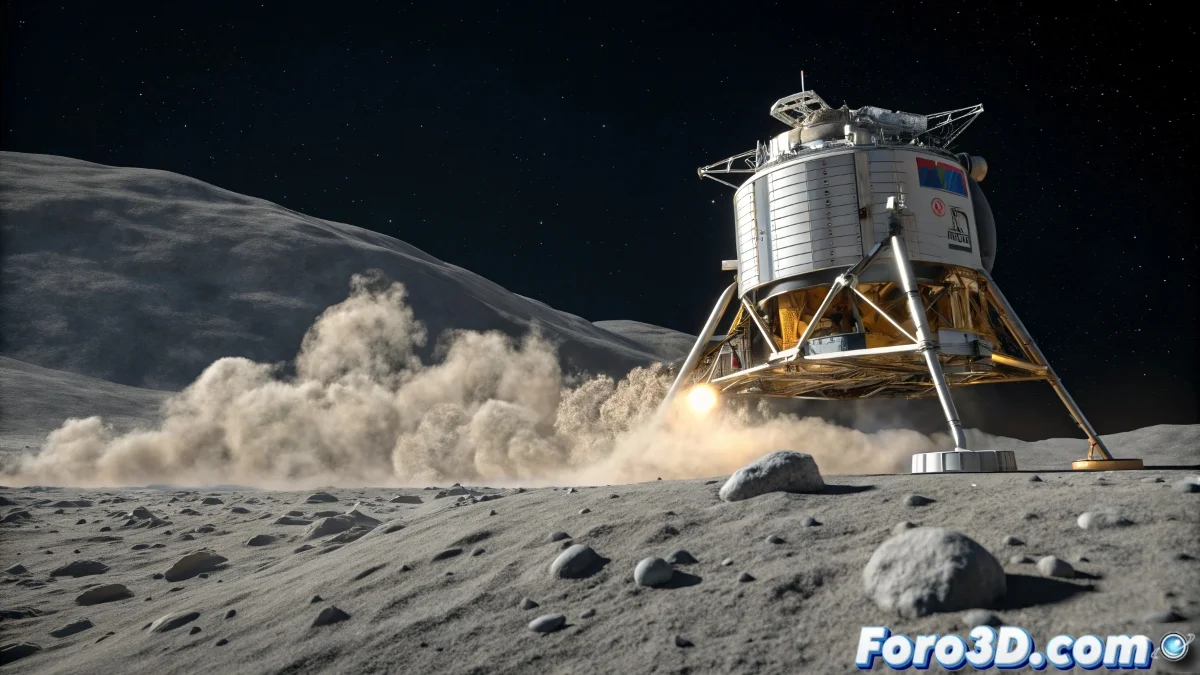
When Lunar Dust Becomes Pixels
Recreating a convincing moon landing in Blender isn't just about modeling a spacecraft - it's mastering the dance of millions of particles under reduced gravity, where each dust grain floats as if in slow motion. 🌕🚀
The Science Behind the Lunar Effect
Before opening Blender, understand these key physical principles:
1. Lunar Gravity: Adjust your simulations to 1.62 m/s² (1/6 of Earth's) for that characteristic floating motion.
2. Absence of Atmosphere: Without air to slow particles, they follow clean parabolic trajectories.
3. Regolith Composition: Lunar dust is more abrasive and angular than terrestrial dust, affecting how it bounces and accumulates.
Professional Step-by-Step Setup
Preparing the Lunar Scene
Create a terrain with a displacement map based on real lunar topographic data. Add a material with:
- Normal texture for micro-details
- Variable roughness for more eroded areas
- Grayish base color with subtle variations
Advanced Particle System
Main Emitter:
- Position under the lunar module's thrusters
- Use hair particles converted to mesh for greater control
- Initial velocity between 3-5 m/s
- Lifespan of 150-200 frames for prolonged floating
Custom Physics:
- Lunar gravity (1.62 in negative Z)
- Wind force field with minimal turbulence (2-3%)
- Collisions with high friction (0.8) and low elasticity (0.1)
Materials for Lunar Dust
Create a volumetric shader with:
- Density adjusted by distance to the spacecraft
- Dark gray color with subtle brown tones
- Anisotropic phase function for light scattering
- Noise maps for density variation
Advanced Techniques for Extreme Realism
1. Radial Ejection Effect:
Use force fields with curved shapes to simulate how dust expands in a fan from the thrusters.
2. Detail Layers:
Combine three particle systems:
- Fine for suspended dust (millions of particles)
- Medium for visible grains (thousands)
- Large for dislodged rocks (dozens)
3. Interaction with the Spacecraft:
Add a secondary particle system on the module's legs to simulate dust accumulation upon landing.
Optimization for Complex Renders
1. Smart Baking:
Save simulations in cache for fast iterations.
2. Levels of Detail:
Reduce particles in distant views with drivers.
3. Strategic Lighting:
Use directional lights to highlight dust volume without saturating the scene.
From Simulation to Community
Share on foro3d.com:
- Your particle settings
- Solutions for collision issues
- Volumetric rendering techniques
- Comparisons with real NASA references
Because in the end, recreating perfect lunar dust is like landing on the Moon: it requires lots of calculations, several failed attempts, and when you finally get it right... everyone asks "why aren't the stars visible in the background?" 😅
So go ahead, make those pixels float with the correct gravity, and remember: if your simulation crashes, you can always say you're recreating the historic emergency landing of Apollo 11. 🚀💻