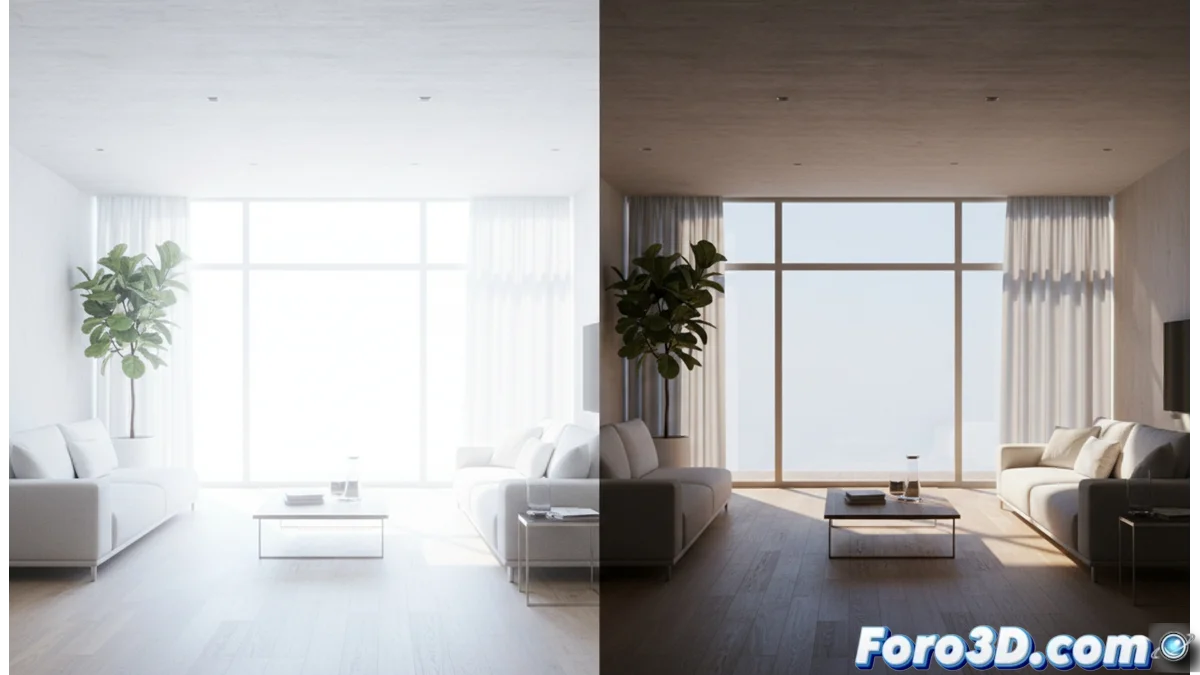
Lumion vs D5 Render: how they handle light differently
When rendering architectural visualizations, the way light is processed defines the final result. Two popular tools, Lumion and D5 Render, adopt opposing philosophies in this aspect, directly impacting the workflow and achievable realism. 🎨
Engine philosophies: speed versus physical accuracy
The core of the difference lies in the rendering engine. Lumion is built on a foundation that prioritizes agility and immediate response. Its system for calculating global illumination is highly optimized, allowing intuitive adjustments to parameters like time of day or artificial light intensity with quick feedback. This is ideal for exploring ideas in the early stages of a project. In contrast, D5 Render employs an engine that simulates the path of light with a more physical approach. It calculates phenomena like scattering in volumetric media or caustic reflections with greater detail, often resulting in a more refined technical realism under specific lighting conditions. 💡
Key features of each approach:- Lumion: Direct interface for controlling atmosphere, cloudiness, and artificial light. Fast iteration.
- D5 Render: Calculation of complex lighting effects like scattering and precise reflections. Higher computational load.
- Result: Lumion delivers speed and control; D5 Render bets on physical fidelity and naturalness.
The choice between an engine optimized for speed and one for physical accuracy makes the difference between iterating quickly or seeking maximum realism.
Indirect light calculation and shadow behavior
The way indirect light and shadows are handled reveals another crucial divergence. Lumion uses optimized methods that are extremely efficient but sometimes simplify how light bounces off surfaces. This may require manual adjustments to correct shadows or chiaroscuro that may not appear entirely natural. D5 Render, by default, tends to use more samples to simulate these bounces, generating softer shadows and light-to-dark transitions that many users consider more organic and believable. However, this greater detail in calculation requires more powerful hardware to maintain fluidity. 🌓
Interaction between materials and light sources
The synergy between materials and light is also handled differently. In Lumion, materials offer clear and predictable parameters to control how they reflect light, making it easy to achieve a consistent specific look. D5 Render typically ties this interaction to physically based models using the PBR standard. This makes surfaces like polished metals, glass, or rough materials react to light in a way that more closely resembles reality, integrating coherently into the illuminated environment. 🔧
Practical differences in workflow:- Material setup: Lumion offers direct and predictable control. D5 Render seeks inherent physical realism.
- Scene integration: PBR materials in D5 Render behave more coherently with global illumination.
- Learning curve: Lumion may be quicker to master for stylized results; D5 Render may require understanding physical principles to exploit its potential.
Conclusion: choose according to project needs
In short, Lumion and D5 Render represent two valid paths. The decision should be based on whether speed and a gentle learning curve are prioritized for quick conceptual presentations, or if the goal is to achieve deep physical realism, assuming greater system resource demands. Both programs remind us that, no matter how advanced the simulation, it always requires manual configuration and direction of elements, such as activating each artificial light source, to build the perfect scene. ⚖️