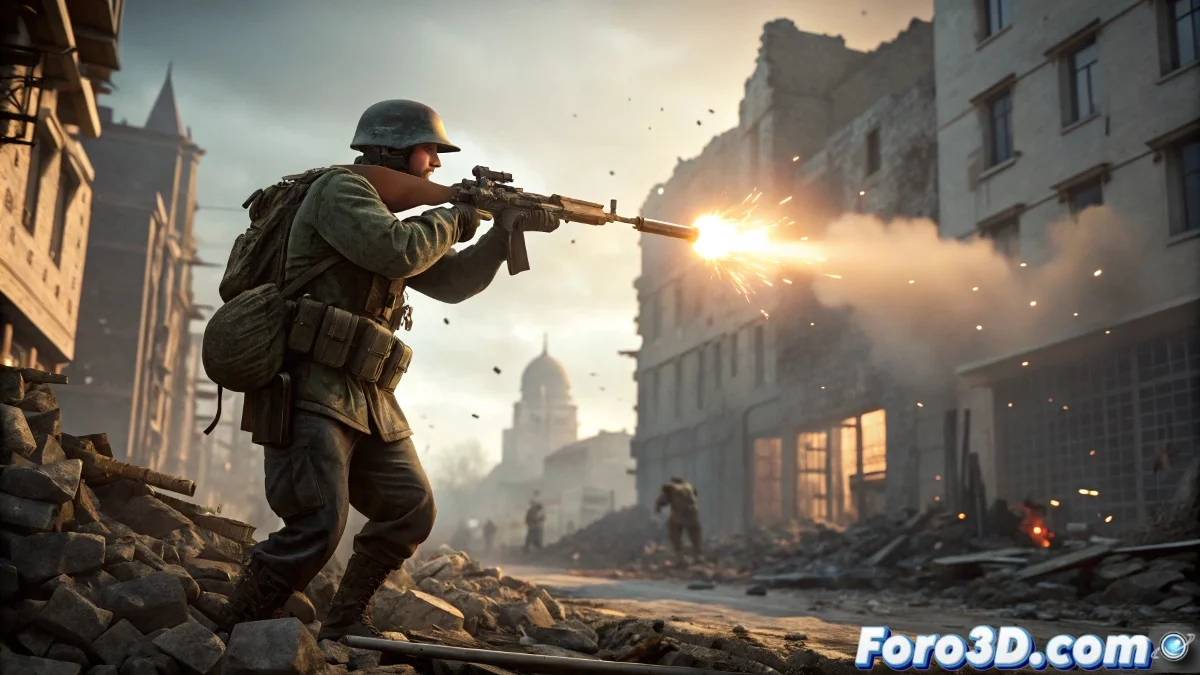
Shoot Like a Pro (Without Touching Code) 🔫✨
Want to add action to your animations but don't know how to program? No problem! With these visual techniques, you'll create cinematic gunshots directly in 3ds Max.
💥 Key Elements for Your Effect:
- Muzzle Flash:
- Create an Omni/Spot light at the barrel
- Animate intensity: 0-100-0 in 2 frames
- Add very slight random movement
- Gun Smoke:
- Use basic Particle Flow
- Configure:
- Speed: 0.5-1.5
- Life: 10-15 frames
- Semi-transparent grayish material
"A good muzzle flash is like makeup: if it's too noticeable, it ruins the effect"
🎯 Creating the Realistic Impact:
| Element | Technique | Duration |
|---|---|---|
| Sparks | Particle Flow with shiny material | 8-12 frames |
| Dust | Slower particles with turbulence | 15-20 frames |
| Recoil | Manual weapon animation (2-3 frames) | 3-5 frames |
💡 Enhance Your Effect with These Extras:
- Spent Shell Casing:
- Model a simple shell casing
- Animate with rigid body dynamics
- Emit on the shot frame
- Bullet Streak:
- Very brief directional light
- Follow the shot trajectory
🚫 Mistakes That Ruin Your Shot:
- Muzzle flash too long (looks like a flashlight)
- Smoke that doesn't dissipate (perpetual cloud)
- Exaggerated recoil (like firing a cannon)
- Lack of sync between elements
🎬 Bonus for Cinematics:
- Add slight camera shake (2 frames)
- Include a brief ambient light flash
- Add synchronized sound in post-production
With these elements, your gunshots will go from "pew pew" to cinematic "BOOM". And remember: if your scene ends up with more bullets than a John Wick movie... it might be time for a break. 😉