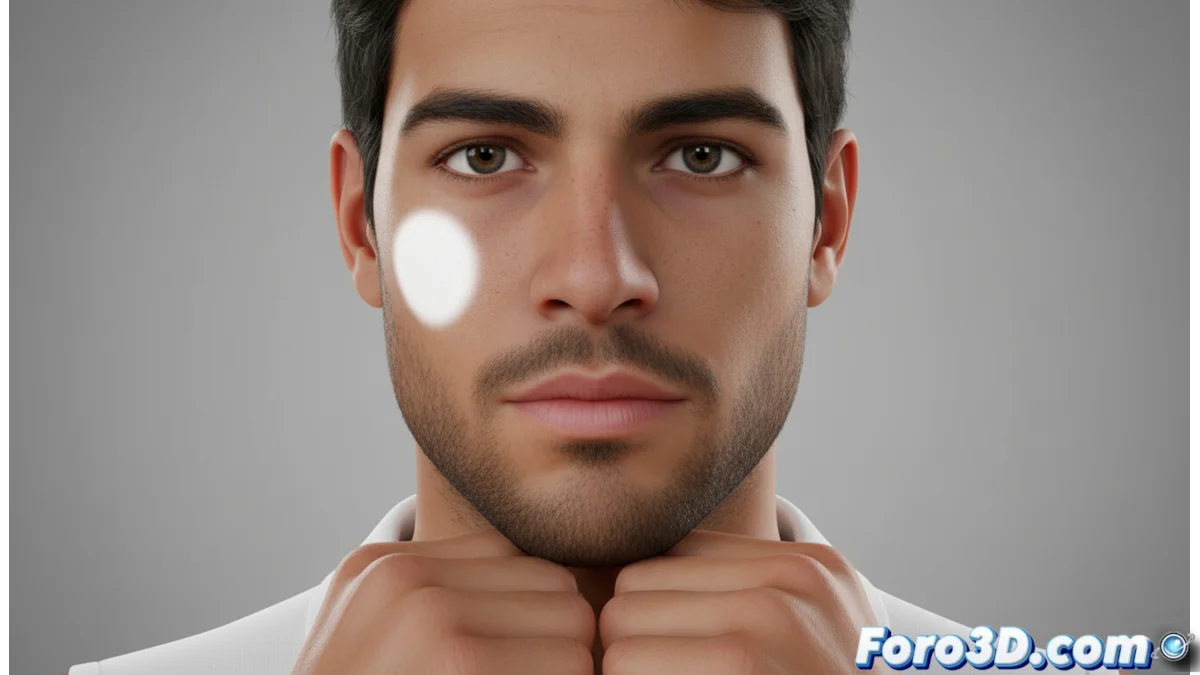
How to Avoid Unrealistic Hotspots in 3D Textures
In the world of 3D rendering, the hotspotting phenomenon or hot spots can completely ruin the credibility of an image. It manifests as areas of excessively bright and concentrated light on textures, creating an artificial effect that distracts the viewer and reduces visual quality. This problem usually originates from incorrect lighting setup or the use of inadequate specular maps. 🔦
Optimize Material Properties
The first line of defense against unwanted reflections lies in adjusting the parameters of the 3D material. It is crucial to review and modify the values related to specular brightness.
Key actions to configure the material:- Reduce specular intensity: Lower this value to prevent the surface from reflecting too much light in a concentrated manner.
- Increase roughness: Increasing this parameter helps to blur reflections, dispersing light more naturally.
- Use detailed roughness maps: Implement texture maps that realistically define microscopic surface variations, avoiding uniformities that cause hotspots.
- Avoid extreme values in specular maps: Do not use pure white in these maps unless the object should behave like a perfect mirror.
A hot spot on a face can make a character look like it's sweating oil instead of having credible skin.
Manage Scene Lighting
As important as the material is how the light interacts with it. Poorly configured lighting is the main cause of hot spots. The goal is to create a lighting environment that simulates the softness and dispersion of light in the real world.
Strategies for lighting without creating hotspots:- Distribute multiple soft light sources: Instead of a single powerful light, use multiple lights with moderate intensity to illuminate the scene evenly.
- Prefer area or softbox type lights: These sources generate more diffuse and natural shadows and reflections, reducing the appearance of intense bright spots.
- Adjust the angle of incidence: Avoid light hitting flat surfaces perpendicularly, as this maximizes direct reflection and creates hotspots.
- Control light intensity: Never set lights with too high an intensity value; it's better to add several dim lights.
Final Tip for Flawless Renders
Achieving a realistic render free of artifacts requires attention to detail in both materials and lighting. Always review the specular and roughness values of your shaders, and design a lighting scheme that prioritizes diffusion over raw intensity. By integrating these practices, you will eliminate annoying hot spots and ensure the viewer's attention focuses on the scene, not its technical errors. 🎨