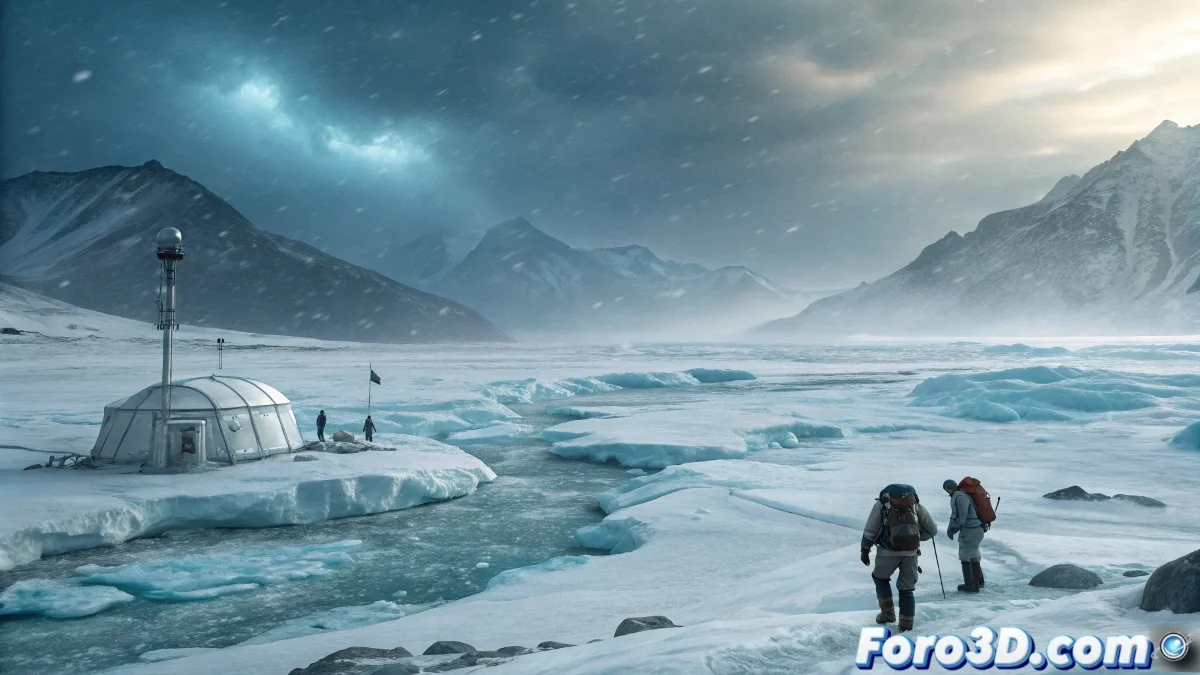
When Polar Cold Becomes Pixels
While scientists install sensors under real ice, we dedicate ourselves to freezing polygons in Maya ❄️. The perfect paradox: creating digital cold while sweating over renders that consume more energy than an Arctic station.
Techniques for a Perpetual Winter (in 3D)
Converting scientific data into visual art requires:
- Glacial Geometry: Clean Booleans in Maya to create ice that looks sharp... without cutting your fps
- Freezing Materials: Subtle subsurface scattering for that inner glow of millennial ice
- Epic Scale: Tiny human silhouettes that show the white immensity (and your mastery of composition)
A good polar render should make you feel cold just by looking at it - and your electricity bill will help with the immersion.
Post-Production: Where Winter Comes to Life
The secret lies in Photoshop:
- Polar fog layer with "Lighten" blend modes for that frigid air
- Suspended snow brushes (that don't repeat like plastic flakes)
- Selective adjustments for blues that sting... but not like an Instagram filter
Bonus: add some technical glitch to the modeled scientific equipment. Because in the real Arctic, even the best technology freezes.
The Thermal Irony of the 3D Artist
While your scene shows sub-zero temperatures, your GPU reaches volcanic levels 🌋. The only place where global warming is welcome: your render farm. And if the fan sounds like a polar blizzard, consider it ambient sound for your project.
So go ahead: freeze those pixels with mastery. And remember: if when you finish you need a coat to look at your own work, you've done it perfectly. Now all that's left is for your Photoshop layers not to freeze.