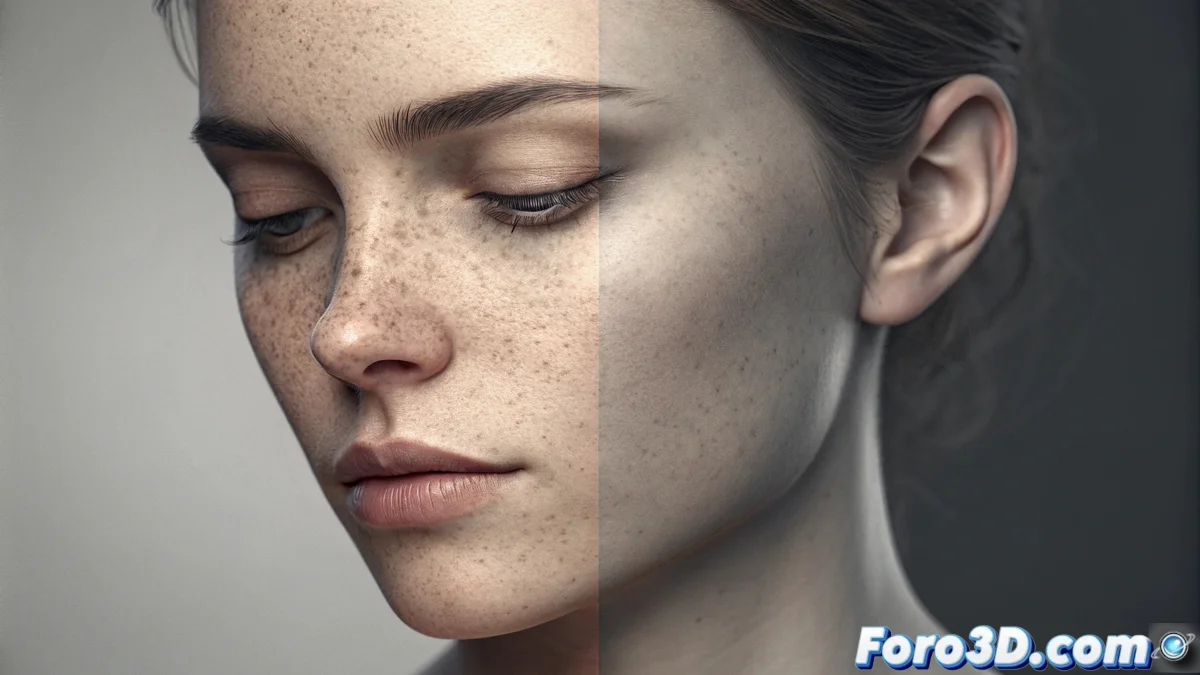
Frequency Separation for Photo Retouching
This advanced photo editing technique separates an image into two distinct components. One layer contains the high-frequency details, such as wrinkles, pores, or fine textures. The other layer holds the low-frequency color and tone information, such as general shadows and highlights. This approach allows you to manipulate texture without touching the color and adjust the color without distorting the details, offering a flexible workflow and preserving the original quality. 🎨
Procedure to Apply the Separation
To execute this method, duplicate the base layer twice. Apply a Gaussian blur filter to the lower copy, thus isolating the colors and shadows to form the low-frequency layer. Change the blend mode of the upper copy to Subtract or Overlay to extract only the sharp details, creating the high-frequency layer. Working on these layers in isolation allows specific actions: you can correct imperfections with healing tools on the details layer, while equalizing skin tones with a soft brush on the color layer.
Key Steps in the Process:- Duplicate the background layer twice to create the working bases.
- Apply Gaussian blur to one copy to generate the color and tone layer (low frequencies).
- Set the blend mode of the other copy to isolate and extract the fine texture (high frequencies).
Independent control over color and detail avoids that plastic and artificial look common in less careful retouches.
Benefits of Adopting This Technique
The main advantage lies in the granular and independent control. You can smooth the skin while maintaining realistic textures like hairs or pores, and correct shadows evenly without creating visible patches. Being a non-destructive method, you can always go back or adjust parameters, which protects the source image. It is especially powerful in genres like portrait and beauty, where naturalness is crucial.
Specific Advantages:- Allows editing texture and color separately without interference.
- Ideal for naturally retouching skin in portraits.
- Facilitates correcting lights and shadows homogeneously.
Common Precaution to Avoid
A frequent mistake is applying excessive blur to the low-frequency layer. This eliminates the volume and depth of the face, generating a flat and artificial result that resembles a wax figure. The key is to use just the right amount of blur to maintain natural dimensionality while equalizing the tones. 🧑🎨