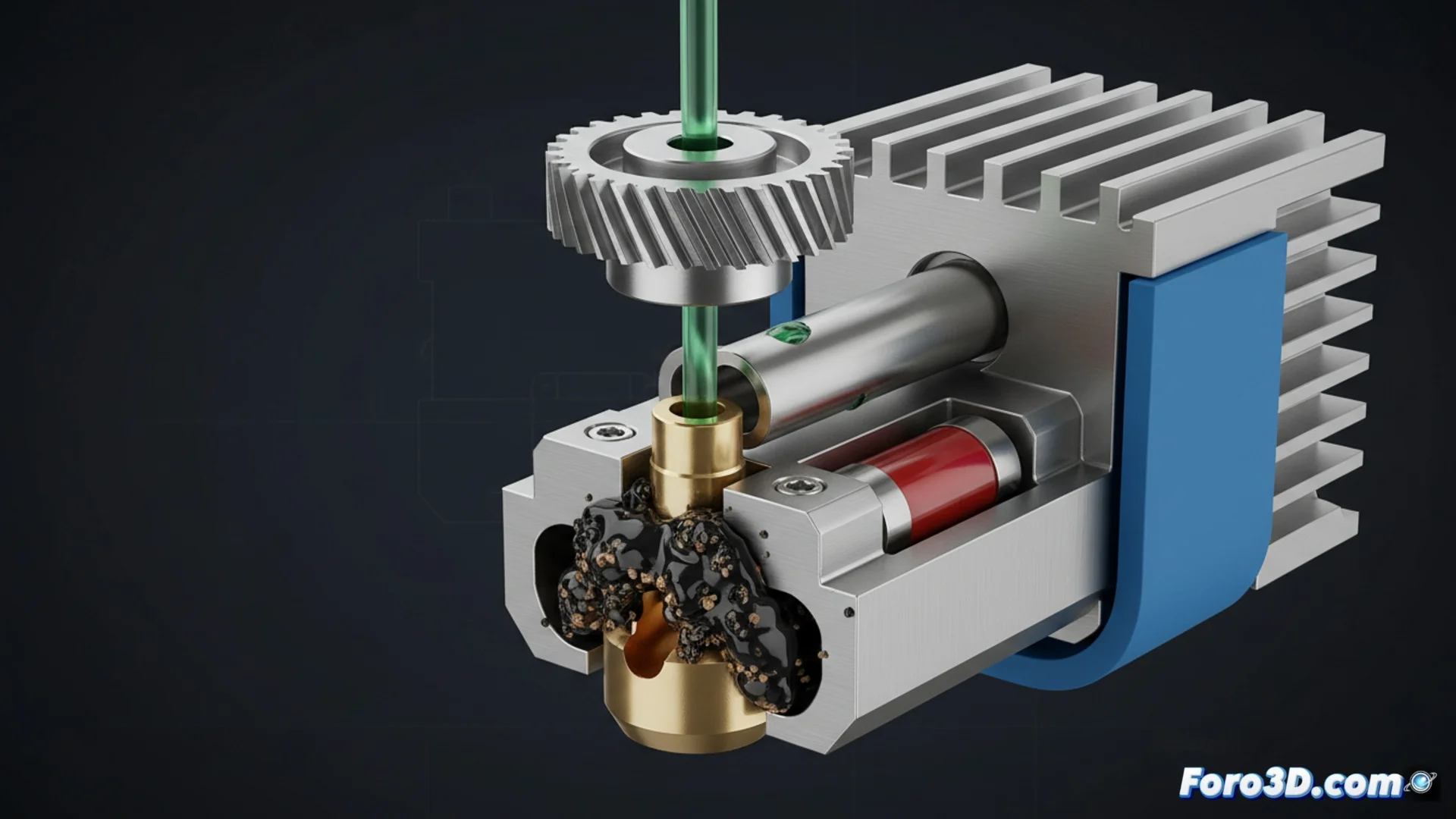
Fixing When the Nozzle Gets Clogged and Extrudes Poorly
When the nozzle gets clogged or the filament does not come out uniformly, the print is ruined. These failures result in layers with little material, discontinuous lines, or areas where the plastic is completely missing. To restore optimal functioning, you need to identify the cause and act precisely. 🛠️
Identifying Why Extrusion Fails
The diagnosis starts by checking key factors. A low temperature in the hotend prevents the plastic from melting correctly. You should also check that the extruder mechanism exerts sufficient force and that the steps per millimeter setting is correct. Examine the nozzle orifice; sometimes it gets blocked with charred remains from old filaments or dirt particles that prevent passage.
Critical Points to Check:- Hotend Temperature: Adjust according to the specifications of the material you are using.
- Extruder Pressure: Ensure that the gear does not slip and pushes consistently.
- Nozzle Condition: Visually look for obstructions or residues on the tip.
A printer that stops extruding is like a tool on strike; it needs maintenance and adjustment to produce faithfully again.
Procedure to Clean and Recalibrate
To unclog, you can use the cold method with a steel needle or the hot method using nylon filament as a cleaner. It is vital that the PTFE tube is perfectly cut and seated against the nozzle so that plastic does not leak inside and cause a blockage. Additionally, calibrating the extrusion multiplier in the slicing software is essential; an incorrect value will cause less plastic to come out than necessary.
Actions to Restore Flow:- Hotend Cleaning: Perform a hot purge or unclog with fine tools.
- Check the Assembly: Confirm that all parts of the extrusion assembly are properly adjusted and aligned.
- Adjust Flow in Software: Modify the extrusion multiplier to compensate and achieve the correct flow rate.
Conclusion to Avoid Future Problems
Resolving a nozzle clog or irregular extrusion is based on methodical diagnosis and regular maintenance. By cleaning the hotend, verifying the temperature, and calibrating the flow parameters, you can prevent your printer from "deciding" to create abstract sculptures instead of the part you designed. Keeping these elements under control is the key to consistent and high-quality prints. ✅