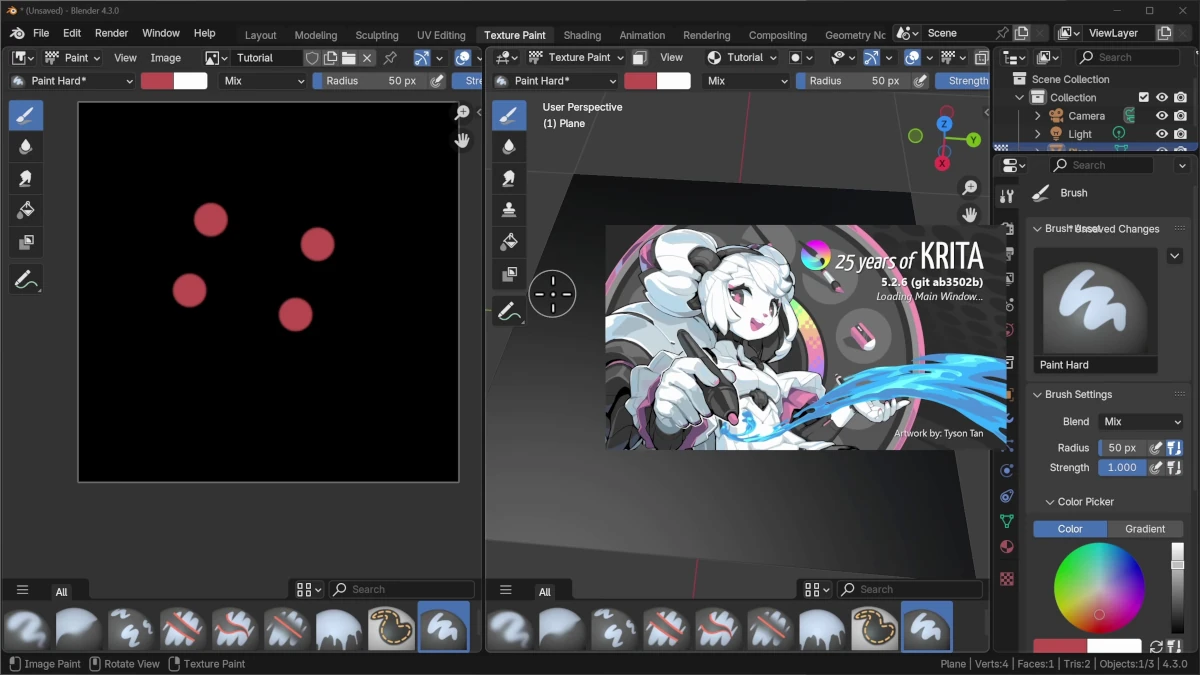
Michael Bridges shares how to improve image editing in Blender using tools like Krita and Photoshop. If you've ever wondered if it's possible to make more advanced adjustments to your Blender images with external programs, you can now learn two easy methods to do it.
Why Isn't Blender Always Enough for Image Editing?
Blender is an incredible tool, but sometimes it doesn't have all the options that programs like Photoshop or Krita offer for more detailed image editing. These specialized programs allow you to work with textures and other details more precisely.
Preparing Your Projects for External Editing
In this video, Michael shows how to prepare your projects in Blender so you can take the images to those external programs easily, without losing time or quality. The steps include:
- Setting up image paths: Make sure the paths are correct to avoid problems when transferring files.
- Preference adjustments: Adjust Blender's preferences to facilitate integration with programs like Photoshop or Krita.
Solving Common Problems When Editing Externally
It also discusses some common problems you might encounter, such as:
- Incorrect image paths: Sometimes files don't update correctly. It's important to verify the image paths to avoid this type of problem.
- Update inconsistencies: Changes made in external programs may not be reflected immediately in Blender. Make sure you have the update systems configured correctly.
Exporting Images from the 3D Viewport
Additionally, Michael highlights another approach for exporting images from the 3D viewport to external editors. This approach has its own benefits and difficulties:
- Benefits: Exporting images directly from the 3D viewport allows you to work with specific views of your model without having to render the entire scene.
- Difficulties: There are challenges when exporting, such as managing layers and the resolution of the exported images.
Conclusion
If you're interested in learning how to make Blender and other tools work together more efficiently, this video will help you improve your workflow. Combine the best of both worlds and take your 3D projects to the next level.
“Learn to maximize Blender's potential by combining it with external tools for more comprehensive editing.”