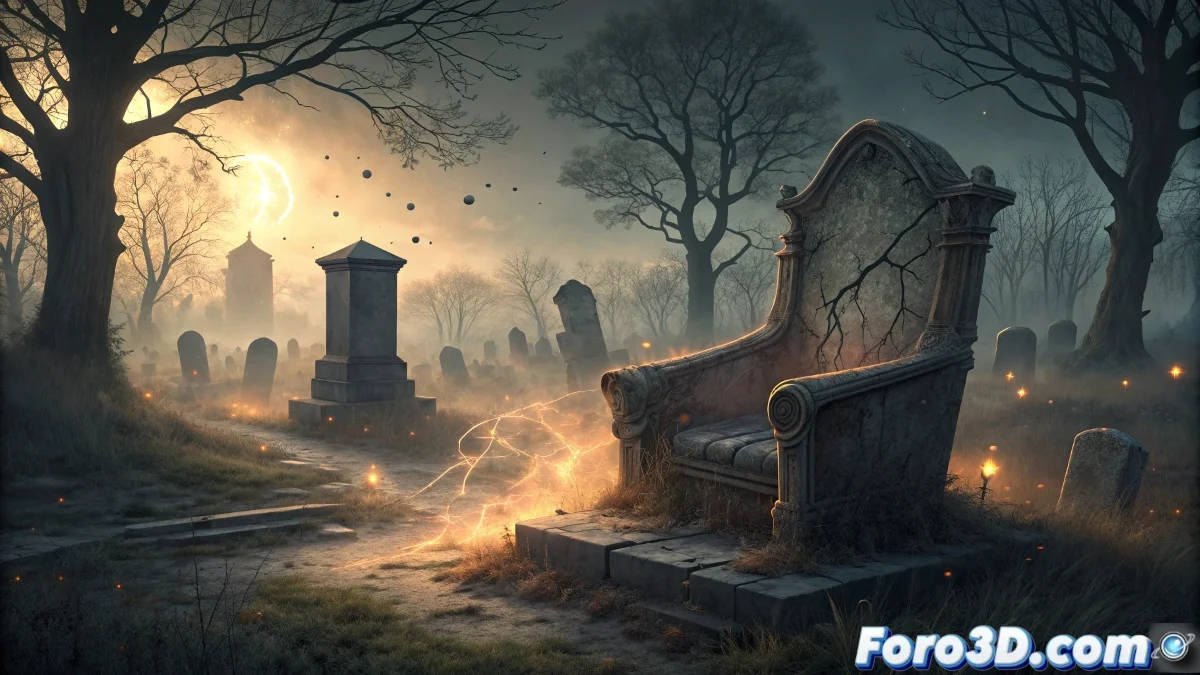
Editing the Stull Devil's Chair in Sony Vegas for Horror Videos
The Stull cemetery in Kansas houses one of the most persistent urban legends in the United States: the Devil's Chair, a ruined tombstone that supposedly functions as a portal to Hell and where, according to tradition, Satan himself walks the Earth during equinoxes and Halloween, offering perfect material for creating atmospheric horror videos in Sony Vegas. 👹
Legendary Context and Local Folklore
This abandoned rural cemetery has become a pilgrimage site for the curious and ghost hunters due to the legends surrounding it. The supposed Devil's Chair -actually the remains of a collapsed tombstone or funerary structure- is the epicenter of stories about apparitions, paranormal phenomena, and the belief that it is one of the few direct doors to the demonic world.
Key Elements of the Legend:- Tombstone or chair-shaped structure in a state of ruin
- Abandoned cemetery with an oppressive atmosphere
- Legend of being one of the seven portals to Hell
- Demonic activity during equinoxes and Halloween
- Stories of disappearances and inexplicable events
A portal to Hell where Satan walks the Earth twice a year - Stull, Kansas Legend
Pre-production and Footage Capture
It is essential to plan the recording considering the legendary elements: footage during twilight, close-ups of the "chair", atmospheric shots of the abandoned cemetery, and possibly recording during the dates mentioned in the legend for greater authenticity.
Recommended Recording Material:- Twilight and nighttime shots with dim lighting
- Footage of the tombstone/chair from multiple angles
- Ambient video of the abandoned cemetery
- Recordings during equinox or Halloween (if possible)
Step by Step: Editing in Sony Vegas Pro
1. Initial Project Setup
Open Sony Vegas Pro 19 and create a new project. Configure the properties with HD 1080-60p or 4K preset according to your footage. Set the framerate to 23.976 fps for a cinematic look. Select 32-bit floating point depth for better color handling.
2. Track and Timeline Organization
Structure the tracks in an organized manner: - Track 1: Main video with cemetery footage - Track 2: Atmospheric overlays (fog, dust) - Track 3: Visual effects and particles - Track 4: Light effects and lens flares - Track 5: Ambient audio and sound effects
3. Atmospheric Color Correction
Apply Sony Color Corrector to create atmosphere: - Reduce overall saturation to 70% for a desaturated look - Adjust color balance toward cold blues and magentas - Increase contrast for deep shadows - Apply slight green tint for a sense of decay - Use secondary color correction to isolate skies
4. Deterioration and Aging Effects
Add film damage effects: - Apply "Film Damage" plugin for scratches and dust - Use "Old Movie" effect with 15% opacity - Incorporate light grain with "Noise Generator" - Apply subtle vignette for focus on the chair
5. Supernatural Effects on the Chair
Create demonic effects on the tombstone: - Use "Light Rays" for faint emanations - Apply "Glow" with dark red color at low intensity - Incorporate "Heat Haze" for air distortion - Use track motion to follow the effect with the chair
6. Ghostly Particle System
Implement atmospheric particles: - Import dust or speckle footage with chroma key - Apply "Particle Illusion" as a plugin - Configure floating orbs with erratic movement - Use blending mode "Add" for natural integration
7. Temporal Distortion Effects
Simulate reality alterations: - Apply "Timecode" effect with occasional glitches - Use "Wave Warp" for subtle distortions - Incorporate "Echo" effect with low opacity - Create time remapping for dramatic slow-downs
8. Ambient Audio and Sound Effects
Develop an atmospheric soundtrack: - Add wind sounds with "Noise Reduction" - Incorporate whispers and murmurs with 3D panning - Apply "Reverb" for a sense of open space - Use "Pitch Shift" for demonic voices
9. Thematic Transitions
Create custom transitions: - Develop crossfades with "Light Rays" - Use "Clock Wipe" for temporal changes - Implement "Shatter" transitions for dramatic effects - Create custom transitions with track motion
10. Final Rendering and Export
Configure the render for different platforms: - YouTube: MP4 H.264 1080p with 16-20 Mbps bitrate - Cinema: QuickTime with ProRes 422 codec - Social media: MP4 1080p square or vertical - Enable "Two-pass encoding" for maximum quality
Advanced Post-production Techniques
For professional results, master the use of animated masks for localized effects, learn to use expressions for complex automations, and develop custom LUTs for consistent color looks in long projects. 🎬
Recommended Advanced Techniques:- Animated masks with bezier keyframes
- Expressions for procedural effects
- Custom LUTs development
- 3D camera tracking integration
Visual Narrative and Editorial Rhythm
Structure the rhythm to maximize tension: start with wide shots of the cemetery, progress to close-ups of the chair, incorporate subtle effects that progressively increase, and culminate with the most intense phenomena during the video's climax.
From Rural Legend to Audiovisual Experience
Editing Devil's Chair material in Sony Vegas transforms an oral legend into a sensory experience, allowing viewers not only to hear about the mystery, but to visually and audibly experience the oppressive atmosphere of a place where, according to many, the supernatural becomes tangible. 📹