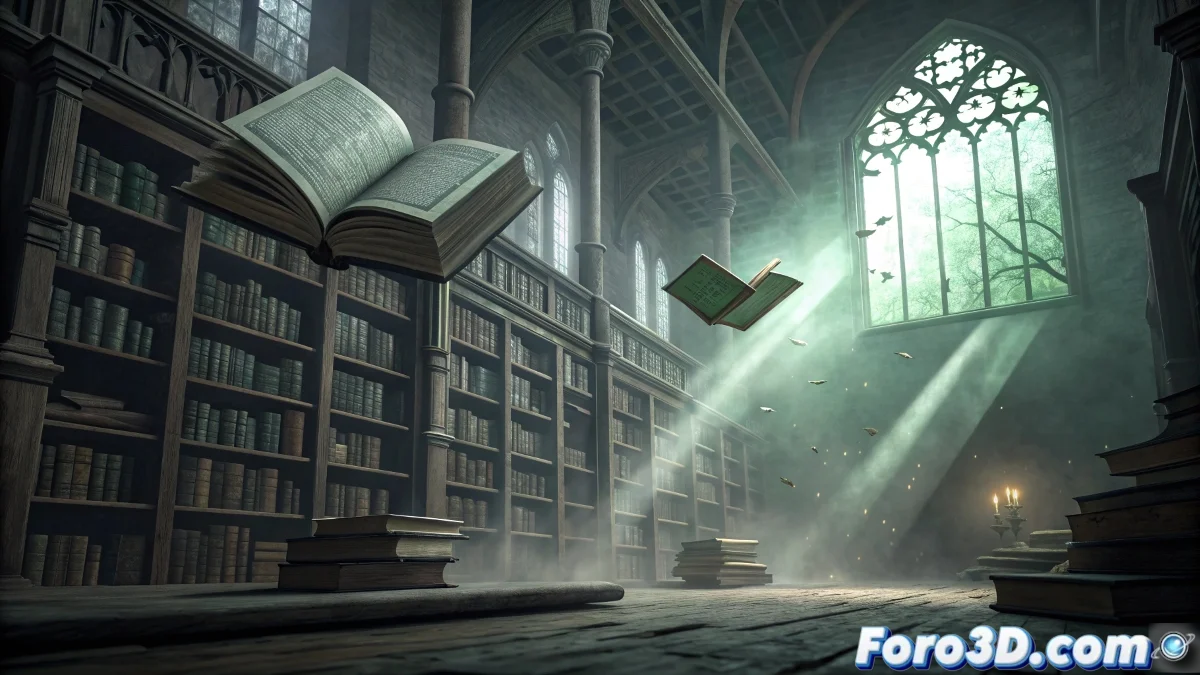
Digital Sculpture of The Exitless Library in Mudbox for Academic Horror
The legend of the Exitless Library in the Boston State Library describes a sealed secret wing where books in dead languages come to life after closing time, writing personalized and terrifying prophecies for any visitor trapped inside, creating the perfect scenario to master high-resolution digital sculpting techniques in Mudbox. 📚
Legendary Context and Intellectual Horror
This academic urban legend stands out for its focus on intellectual horror rather than physical. The threat is not a conventional monstrous entity, but knowledge itself manifesting supernaturally. Books, normally passive objects of study, transform into active entities that reveal personal destinies in a coercive and inescapable way.
Characteristic elements of the legend:- Labyrinthine shelves with Victorian architecture
- Leather-bound books with indecipherable texts
- Pages that turn and text that rewrites itself
- Personalized prophecies that appear progressively
- Sensation of being trapped in a changing space
The books begin to open on their own and the words move on the pages, writing a personal and terrifying prophecy - Description of the paranormal phenomenon
Bibliographic and Architectural Research
It is essential to document on historical binding, ancient typography, Victorian library architecture, and writing systems of dead languages to create an authentic and culturally rooted representation that elevates the horror beyond the generic.
Essential research areas:- 19th-century historical binding and materials
- Typography of dead languages and ancient alphabets
- American Victorian library architecture
- Period shelving systems and furniture
- Lighting techniques with gas lamps and chandeliers
Step by Step: Sculpting in Mudbox
1. Initial Project Setup
Open Mudbox 2023 and load the base library mesh. Set the subdivision level to 5-6 for sufficient detail resolution. Set the map size to 8K to capture high-quality textures on books and surfaces.
2. Sculpting Shelves and Architecture
Develop the main structure: - Use Clay brush to carve wood details on shelves - Apply Mallet brush to create dents and wear marks - Use Wax brush to smooth transitions in moldings - Create wood grain with Dragrect brush with custom alpha
3. Individual Book Details
Sculpt bibliographic volumes: - Use Pinch brush to define sharp book edges - Apply Foam brush to create leather texture on bindings - Develop gold leaf on spines with Contrast brush - Create page edges with Layer brush and line alpha
4. Texts in Dead Languages
Carve mysterious inscriptions: - Import alpha maps with ancient alphabets - Use Stencil tool to transfer texts to surfaces - Apply Knife brush for deep character carving - Create depth variety with different pressure settings
5. Textual Animation Effects
Prepare for moving text: - Sculpt multiple versions of the same page - Create smooth transitions between text states - Develop depth variation for progressive writing effect - Apply different wear levels in "movement" areas
6. Deterioration and Age Details
Add signs of abandonment: - Use Erode brush for wear on book edges - Apply Crack brush for damaged pages - Create accumulated dust with Dust brush - Develop moisture stains with Blob brush
7. Supernatural Interaction Effects
Sculpt paranormal manifestations: - Create "energy" areas with Glow brush - Develop page distortions with Warp brush - Apply transparency effects with Soft brush - Create floating particles with Spray brush
8. Complex Materials Integration
Work with different surfaces: - Develop polished wood on floors and railings - Create worn metal on lamps and hardware - Sculpt frosted glass in display cases - Apply framed leather on armchairs and upholstery
9. Export Preparation
Optimize for final render: - Bake displacement maps from high subdivision levels - Export normal maps for surface details - Generate ambient occlusion maps for shading - Create cavity maps for fine details
10. Painting Layers Organization
Structure for post-production flexibility: - Separate elements into different layers by material - Create specific layers for animation effects - Organize by categories: structure, books, effects, deterioration - Apply consistent names for efficient pipeline
Advanced Digital Sculpting Techniques
For cinematic results, master the use of vector displacement for complex details, use custom stencils for repetitive patterns, and develop non-destructive sculpt layer techniques for rapid iterations. 🎨
Recommended advanced techniques:- Vector displacement for complex details
- Custom stencils for repetitive patterns
- Sculpt layers for non-destructive work
- Mesh extraction for additional elements
Integration with Animation Pipelines
When exporting to Maya or Blender, set up shaders to leverage displacement maps, prepare UVs for additional texturing, and develop animation systems for page and text movement based on sculpted variations.
Sculpting Forbidden Knowledge
Working with the Exitless Library in Mudbox explores the intersection between scholarship and horror, demonstrating that the most sophisticated fear emerges not from conventional monsters but from the corruption of knowledge institutions, where the books themselves become living entities that impose unwanted truths on those who dare to seek them. ✍️