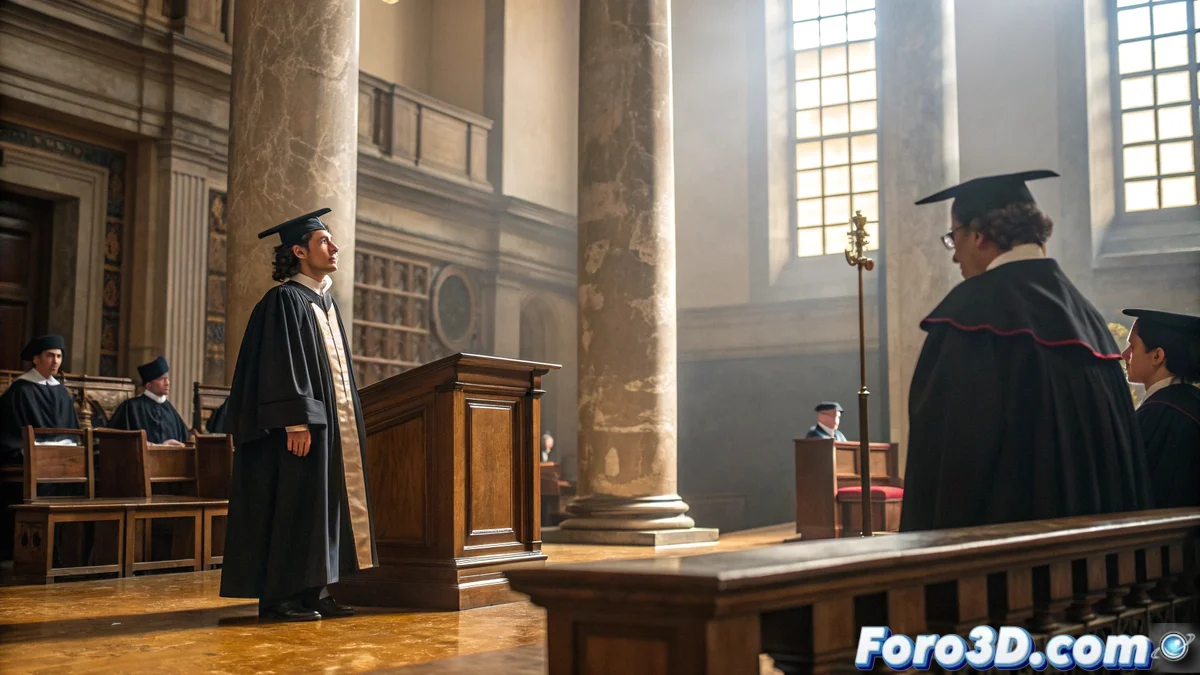
Digital Recreation of Rafael Nadal's Honorary Doctorate in Blender
The most prestigious academic distinction from the University of Salamanca found its digital expression through advanced 3D modeling techniques that allowed immortalizing the moment when the Balearic tennis player received his recognition. This recreation demonstrates how specialized software can capture the essence of historic ceremonies with extraordinary detail 🎓.
Initial Setup of the Academic Project
To begin the recreation in Blender, it is essential to establish a solid technical foundation that ensures historical and visual accuracy of the university environment. The meticulous configuration of specific parameters ensures that every architectural and ceremonial element maintains its real proportions.
Detailed Technical Setup in Blender:- Go to Properties > Scene > Units and set Unit System: Metric, Length: Meters
- In Properties > Output Properties > Resolution, set 3840x2160 pixels with 100% scale
- Enable Film > Transparent in Properties > Render Properties for later compositing
- Import reference plans using Shift+A > Image > Reference, scale to 1:1 with G + Z
- Set Color Management > View Transform: Standard in Properties > Render Properties
The precision in the initial setup determines the final realism of the historical recreation
Architectural Modeling of the Historic Paraninfo
The polygonal modeling of the paraninfo requires special attention to the Gothic and Renaissance architectural details that characterize this emblematic space. Using controlled subdivision techniques, the majesty of the century-old hall of acts is recreated.
Modeling Workflow in Blender:- Create the base structure with Shift+A > Mesh > Cube, apply Subdivision Surface modifier with Levels: 2
- For the vaults, use Mesh > Circle with 16 vertices, extrude with E + Z and apply Solidify modifier with Thickness: 0.15m
- Model the columns with Cylinder of 12 sides, scale with S + Z and apply Array modifier with Count: 8
- For ornamental details, use Sculpt Mode with Clay Strips brush and Strength: 0.3
- Optimize the geometry with Mesh > Clean Up > Decimate geometry maintaining Ratio: 0.7
Realistic Academic Lighting System
HDRI lighting combined with strategic lights faithfully reproduces the solemn atmosphere of the academic event. The precise control of intensities and color temperatures is essential to convey the gravity of the historic moment.
Step-by-Step Lighting Setup in Blender:- Add World > Surface > Environment Texture with 4K academic HDRI
- Create main Area Light with Power: 500W, Size: 4m, Temperature: 4500K positioned at 45°
- Add Fill Light with Power: 150W, Size: 2m, Temperature: 3500K to soften shadows
- Set Render Properties > Light Paths > Max Bounces: 12 for precise global illumination
- Enable Denoiser > OpenImageDenoise with Prefilter: Accurate in Render Properties
Ceremonial Materials and Textures
The development of PBR materials for ceremonial elements such as the doctoral biretta and official documents requires meticulous attention to the physical properties of each surface. The advanced shader node setup ensures visual realism.
Creation of Specific Materials in Blender:- For noble wood: Principled BSDF with Base Color: #5C4033, Roughness: 0.6, Specular: 0.3
- Doctoral biretta: Principled BSDF with Base Color: #000000, Roughness: 0.8, Sheen: 0.3
- Parchment documents: Principled BSDF with Base Color: #F5F5DC, Roughness: 0.7, Subsurface: 0.1
- Apply Normal Map with Strength: 1.0 for historic stone textures
- Set UV Mapping with Smart UV Project and Island Margin: 0.01
Final Rendering and Compositing Effects
The rendering process in Cycles with optimized settings ensures maximum visual quality while maintaining reasonable processing times. The advanced compositing adds the final touch of realism and drama to the academic scene.
Render and Compositing Setup:- Set Render Engine: Cycles GPU, Samples: 1024, Denoiser: OptiX
- Enable Depth of Field in Camera Properties with F-stop: 2.8, Focus Distance: 5m
- In Compositor, add Color Balance node with Lift: 1.02, Gamma: 0.95, Gain: 1.05
- Set Glare node with Fog Glow type, Mix: 0.3 for atmospheric light effects
- Export in Properties > Output Properties with Format: PNG, Color: RGBA, Depth: 16
Integration Between Sports and Academia
This digital recreation symbolizes the historic convergence between sports excellence and academic recognition, demonstrating how 3D technology can document and preserve significant moments of our contemporary culture. The project establishes a technical precedent for the digital documentation of important academic ceremonies 🏆.