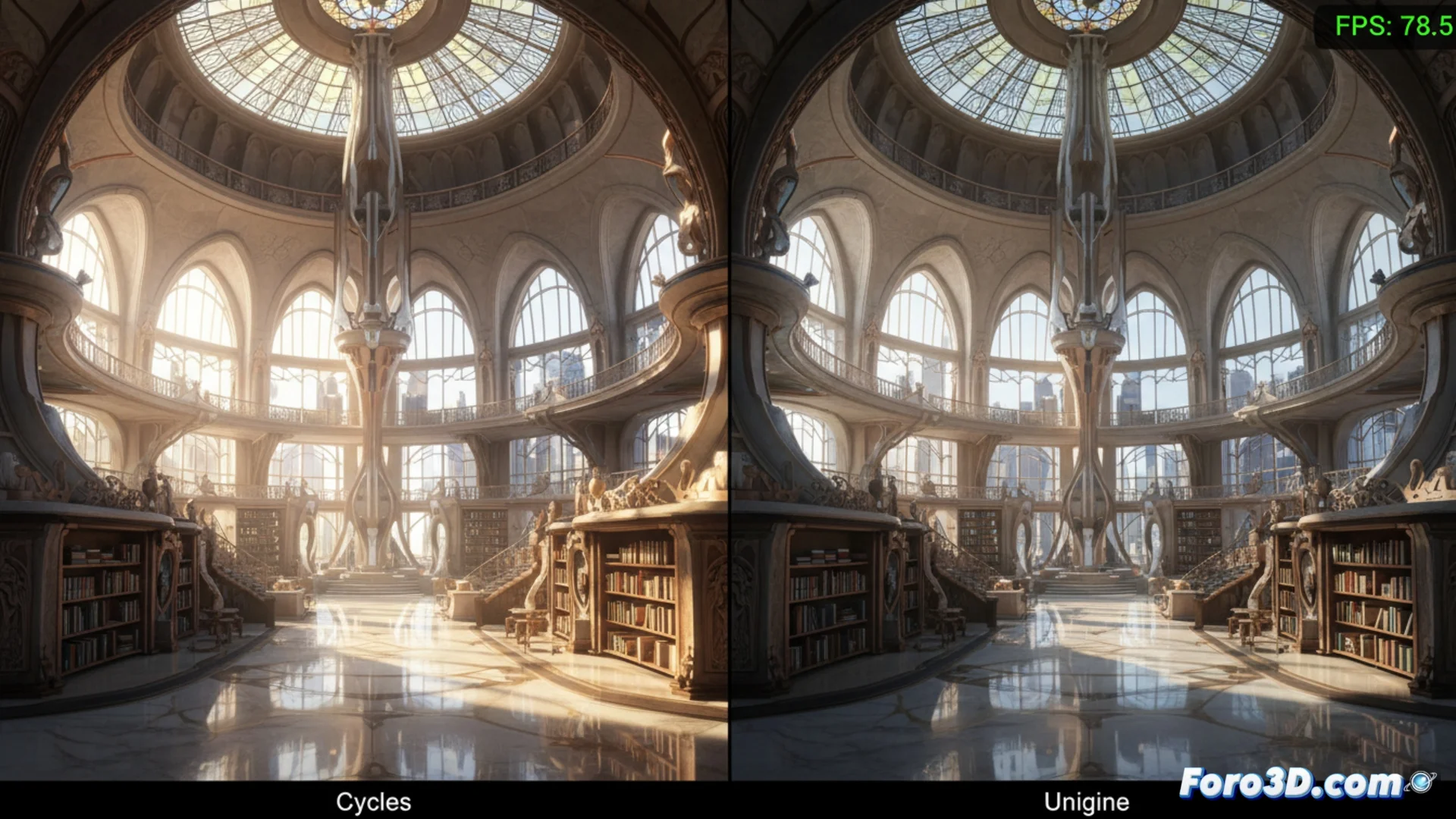
Cycles and Unigine: Two Competing Rendering Philosophies
In the world of digital creation, choosing the right rendering engine is crucial. On one hand, Cycles integrates into Blender as an offline ray-tracing solution, prioritizing physically accurate light simulation. On the other, Unigine is built from scratch for real-time execution, handling vast and complex worlds with high interactivity. Understanding their foundations is key to selecting the right tool. 🎯
Opposing Design Objectives
The core of each engine reveals its purpose. Cycles calculates global illumination and materials that behave like in reality, a time-consuming process that generates reference images. In contrast, Unigine focuses on maintaining a constant frame rate, employing techniques like culling non-visible geometry and dynamically adjusting object detail. While one calculates every light ray, the other manages resources to ensure smoothness. 💡
Main features of each approach:- Cycles: Offline rendering. Final noise-free image quality. Uses CPU and/or GPU. Ideal for still images or short animations where realism is paramount.
- Unigine: Real-time rendering. High interactive performance. Optimized for GPU. Uses aggressive culling and levels of detail (LOD). Perfect for simulators and architectural visualization.
- Common factor: Both depend on how the user organizes the scene and the hardware power, especially GPU memory for handling dense geometry.
While one engine invites you to have a coffee while it renders, the other challenges you not to break the 60 fps smoothness with every new object you add.
Impact on the Artist's Workflow
The choice of engine completely dictates how a project is built. With Cycles, you can work with a very dense scene in the preview, but then you must wait for it to process each frame. Testing adjustments to lights or textures becomes a slow cycle of waiting. Unigine requires preparing all assets from the start for real-time: optimizing meshes, creating lightmaps, and managing textures carefully. The reward is being able to evaluate the result instantly and navigate the environment in real-time. ⚙️
Hardware and visual quality considerations:- Precision vs. Performance: Cycles produces image quality considered a reference for offline realism. Unigine balances visual quality and performance, sometimes sacrificing physical precision to keep fps high.
- GPU Usage: Both leverage the GPU, but Unigine is highly optimized to run on it. Cycles offers flexibility by also being able to use the CPU.
- Graphics Systems: Unigine's shadow, reflection, and particle systems are designed to be efficient. Cycles simulates these phenomena physically, which is more computationally expensive.
Which One to Choose for Your Project?
The final decision depends on the result you need. Use Cycles when your goal is to produce a flawless still image, a short cinematic animation, or any work where physical fidelity is paramount. Opt for Unigine when developing an interactive application, a simulator, a virtual reality experience, or an architectural walkthrough where the end user must actively explore the environment without pauses. One gives you realism in exchange for time; the other, interactivity in exchange for some visual concessions. 🚀