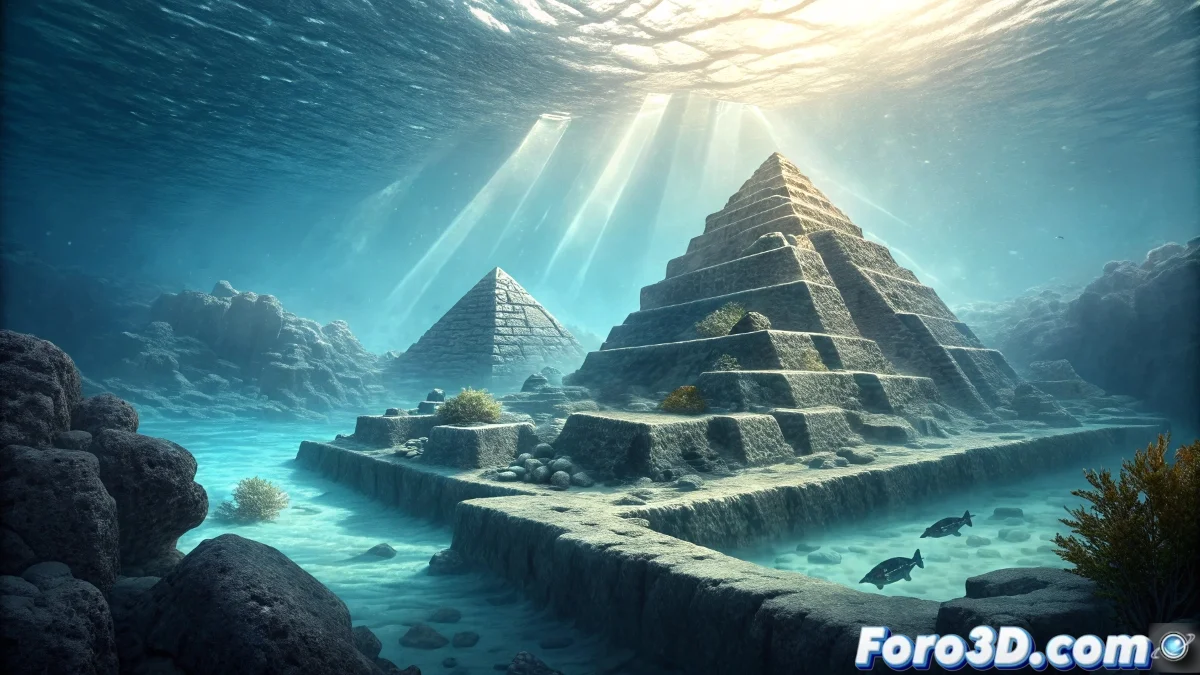
Creating the Yonaguni Mystery: Photoshop Guide to the Japanese Atlantis
The Yonaguni Monument constitutes one of the most fascinating underwater enigmas in the world, a rock formation off the coasts of Japan that divides the scientific community between those who see remains of a lost civilization -the so-called "Japanese Atlantis"- and those who defend its purely natural origin. This guide will teach you how to recreate this archaeological mystery using advanced Photoshop tools to capture that visual ambiguity that makes it so captivating. 🏊♂️
Initial Preparation and Reference Material Selection
Start by gathering high-quality reference images of underwater rock formations, corals, and real archaeological structures. The key is to select material that shows both naturally eroded formations and structures with an artificial appearance.
Photoshop Document Setup:- Create new document at 4000x3000 px with 300 dpi resolution for maximum detail
- Set RGB color mode 16 bits for greater dynamic range in adjustments
- Set up guides for rule of thirds composition and strategic focal points
"Yonaguni represents that thin line where nature imitates human art, a perfect challenge for digital manipulation" - Underwater Archaeology Specialist
Creating the Main Rock Structures
Use advanced photom manipulation techniques to build the characteristic formations of Yonaguni. Combine multiple rock images and apply transformations to achieve those stepped and angular formations that generate the debate.
Photoshop Construction Techniques:- Selection with Pen Tool to extract rock formations from different sources
- Free Transform (Ctrl+T) with distortion to create stepped terraces
- Use of layer masks and texture brushes for seamless integration
Underwater Environment Effects and Lighting
The underwater atmosphere is essential to convey the depth and mystery of Yonaguni. Create specific adjustment layers to simulate how light and water affect the perception of the structures.
Aquatic Effects Setup:- Color Lookup adjustment layer with Night From Day profile for bluish tones
- Subtle Lens Flare filter to simulate sun rays penetrating the water
- Custom brushes with scattering for suspended particles
Texturing and Erosion Details
Apply realistic textures that reflect the millennial wear from ocean currents. The key is to balance between natural erosion and possible tool marks that suggest human intervention.
Advanced Texturing Techniques:- Overlay and Soft Light blending modes for erosion textures
- History brushes with texture to simulate striations and current marks
- Gallery->Watercolor filter for organic wear effects
Final Integration and Mystery Effects
In the final adjustment layers, apply the effects that will accentuate the fundamental ambiguity of Yonaguni. Use selective dodge and burn techniques to highlight areas that suggest possible carving, while keeping others clearly natural, creating that visual tension between natural and artificial explanation that defines this millennial enigma. 🔍