Creating Liminal Spaces with Pencil 2D in Blender
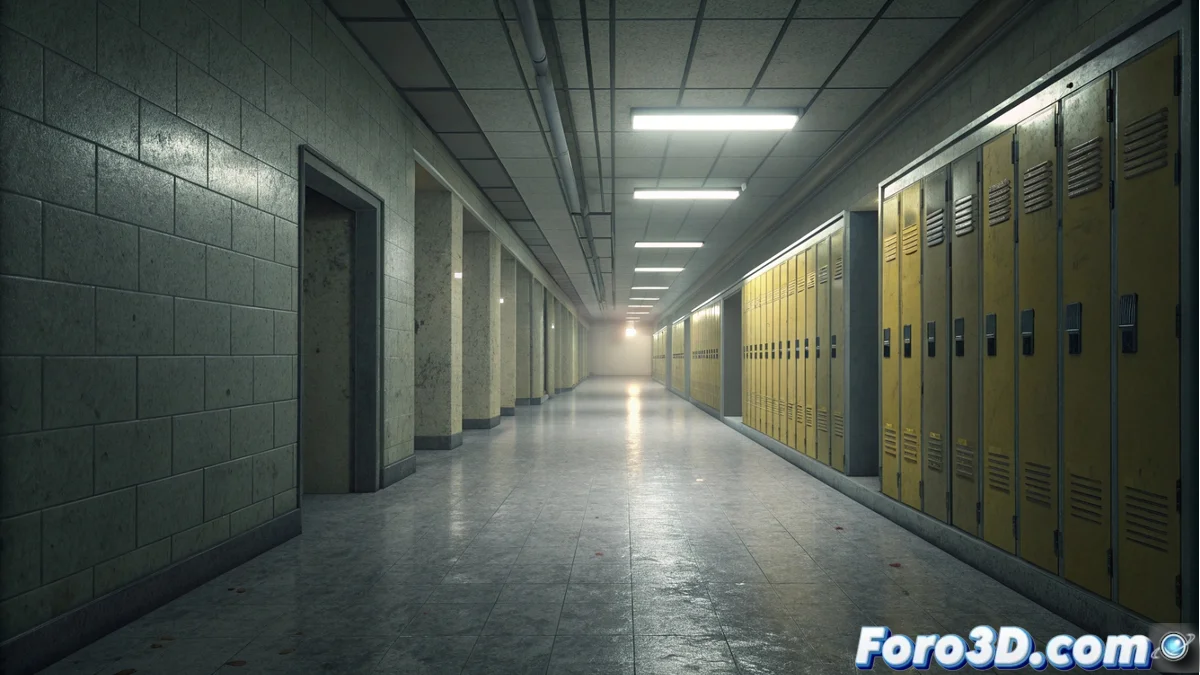
Liminal spaces are transitional places perceived as empty, like a school hallway after hours. These environments generate a dreamlike and solitary atmosphere, where nostalgia and the surreal blend together. Blender allows building and rendering this unsettling sensation using its Pencil 2D tool, which simulates a hand-drawn animation style. The process aims to capture that tense calm and altered perspective that defines the concept. 🌀
Prepare the Base Scene in Blender
First, model a simple hallway using planes for the walls, floor, and ceiling. Use a camera with an angle looking toward the end of the corridor. To extend the perspective to infinity, adjust the camera's focal length to a low value, such as 20mm, and place a distant vanishing point. Add area lights on the ceiling with a yellowish tone and low intensity to mimic fluorescent lighting. This is the 3D scene that Pencil 2D will process afterward.
Key Elements of the Base Scene:- Simple Modeling: Use basic planes to define the hallway architecture.
- Camera with Forced Perspective: Set a low focal length (e.g., 20mm) to exaggerate depth.
- Ambient Lighting: Use area lights with warm tones and low intensity to create a dim atmosphere.
The real challenge is not feeling the need to add a character, because in a limbo, even the artist feels out of place.
Apply and Adjust the Pencil 2D Effect
In the render properties, change the engine to Freestyle. Enable Freestyle and then go to the Line Style tab. Select the Pencil 2D preset. To desaturate the colors and give it that unreal feel, in the Color Management node of the Compositing workspace, lower the saturation. Add a Filter | Noise node with a low scale to incorporate subtle grain. Render the image. The final result shows the hallway with lines that look drawn and a muted palette, enhancing the feeling of solitude and space trapped in time.
Steps for the Visual Effect:- Enable Freestyle: Change the render engine and enable this feature.
- Select Pencil 2D Preset: In the Line Style tab, choose this predefined style.
- Modify Color and Texture: Use the Color Management node to reduce saturation and add subtle noise with the Filter/Noise node.
Conclusion of the Process
By combining minimalist 3D modeling with the post-production of the Pencil 2D effect in Freestyle, a common scene is transformed into an evocative liminal space. This technique allows exploring visual narratives where the atmosphere and sense of emptiness are the protagonists, using Blender's tools to create art that feels outside of time. 🎨