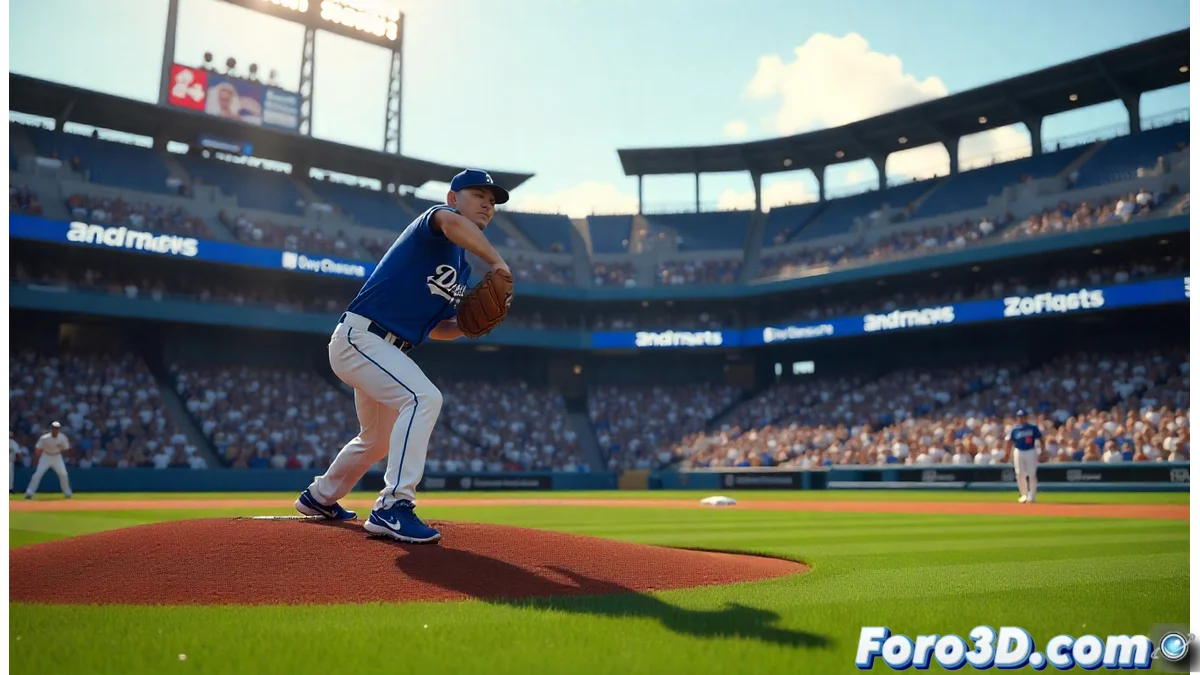
Creating a Baseball Stadium in 3ds Max: From Modeling to Final Render
Professional baseball has its roots in the founding of the National League in 1876, establishing the foundations of organized sport. Iconic events like the World Series, which began in 1903, pit legendary teams such as the Los Angeles Dodgers (originating in Brooklyn in 1883) against the Toronto Blue Jays (created in 1977). In this article, we explore how to recreate a baseball scene in 3ds Max, inspired by historic games like the sixth game of the World Series at the Rogers Centre, where pitcher Yoshinobu Yamamoto shone with a dominant performance. ⚾
Initial Setup and Project Preparation
To begin, it is crucial to set up 3ds Max with metric units, setting the system to meters to ensure accuracy in real-world scales. Create a 120-meter base plane to represent the baseball field, following professional dimensions. Import reference plans of the Rogers Centre from background images, which ensures faithful architectural replication. Adjust the working grid to align geometries like the diamond, bases, and pitcher's mound, where Yamamoto's position would be simulated during a decisive game.
Key steps in the setup:- Set units to meters to work in real scale and avoid distortions in modeling.
- Create a 120-meter base plane as a guide for the field, including areas like home plate and the stands.
- Import and adjust reference plans of the Rogers Centre to maintain consistency in the stadium's structure.
Accuracy in the initial setup is fundamental to achieving a 3D model that captures the essence of a professional stadium, such as the Rogers Centre in Toronto.
Polygonal Modeling and Stadium Structure
Use polygonal modeling techniques to build the stands and main elements of the stadium. Apply modifiers like Symmetry to ensure symmetry in the geometries, a typical characteristic of stadiums like the Rogers Centre. Model the baseball diamond with official measurements, including bases and the pitcher's mound, where Yamamoto would make his plays. Start with low-poly geometries to optimize performance and then use TurboSmooth to refine surfaces. Tools like Array efficiently distribute seats, creating an illusion of a crowd without overloading the scene.
Essential elements of modeling:- Use polygonal modeling for stands and structures, applying Symmetry for symmetry and realism.
- Create the diamond with official measurements, including bases and the mound, to reflect a professional field.
- Optimize with low-poly geometries and TurboSmooth, plus Array to distribute seats efficiently.
Lighting, Materials, and Final Effects
Set up a lighting system with a Daylight System to simulate the natural light of a daytime game, adjusting the sun's position according to Toronto's latitude. Add additional Omni lights to highlight key areas like the pitcher's mound or home plate. Create V-Ray materials for varied surfaces: realistic grass with displacement maps, metals for structures, and concrete textures for the stands. Apply bump and specular maps to add realism. Finally, use particles for virtual crowds and 35mm cameras for cinematic shots, rendering with V-Ray and separate passes for post-production. 🎨
Critical aspects of lighting and rendering:- Implement a Daylight System and Omni lights for natural and focused lighting, emulating a real game.
- Develop V-Ray materials with realistic textures, such as grass with displacement and polished metals.
- Use particles for crowds and render with separate passes, allowing adjustments in post-production for a photorealistic result.
Cultural Impact and Final Reflections
Sporting encounters like the World