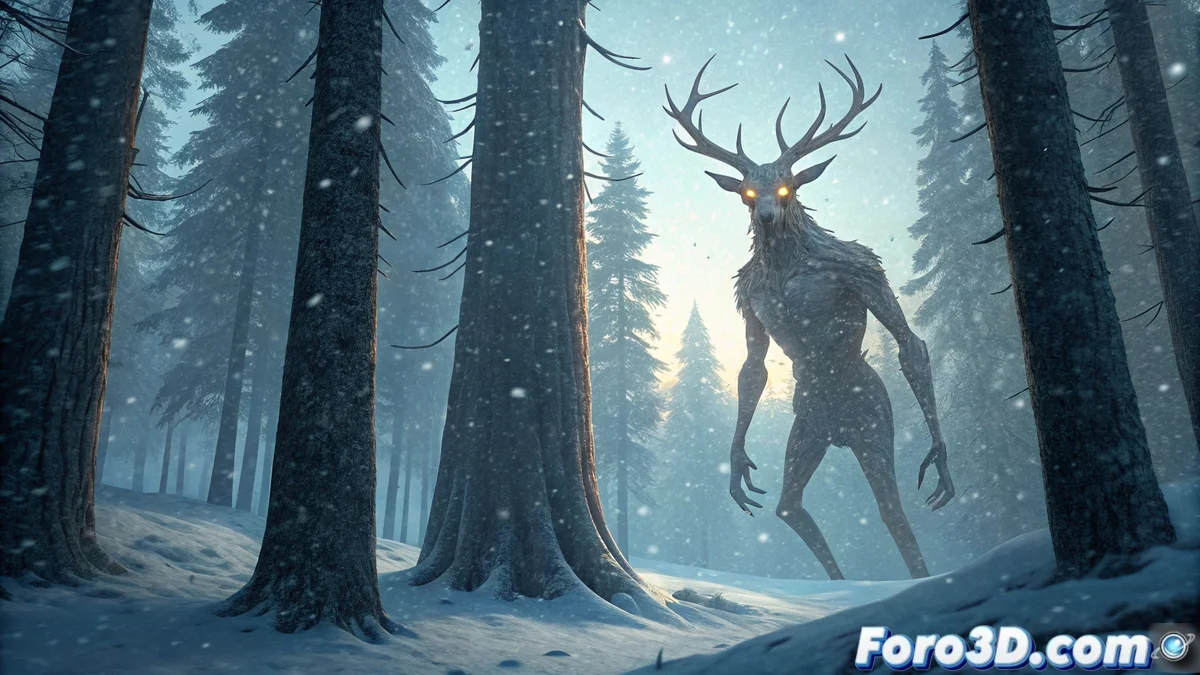
Creating the Wendigo in Blender with the Pencil Style
The Wendigo is a being from Algonquian mythology that symbolizes insatiable hunger and the loss of humanity. This guide shows you how to bring it to digital life, from its modeling to applying a pencil drawing effect that accentuates its spectral nature. 🎨
Origin and Visual Concept of the Wendigo
This legend serves as a moral warning. It is depicted as a skeletal creature with supernatural strength and features that blend a distorted human form with deer elements, such as imposing antlers. For your Blender scene, you must capture this terrifying and cold essence.
Key Features to Represent:- Skeletal Figure: Extremely thin and elongated human body.
- Animal Traits: Incorporate deer antlers on the model's head.
- Setting: A northern snowy forest that reflects isolation and cold.
- Expression: Focus on eyes that glow with perpetual hunger in the dim light.
The Wendigo legend warns about the limits of survival and cannibalism, transforming the transgressor into a monster.
Prepare the Scene and Base Model
Start by modeling the tall and thin human figure. Add the antlers using a basic mesh that you then deform. For the snowy forest environment, an effective technique is photobashing: import photographs of trees and rocks as planes and project their textures to quickly create realistic details.
Set Up Lighting and Atmosphere:- Dim Light: Use low general lighting to simulate the forest's darkness.
- Main Spotlight: Direct a key light toward the Wendigo's face, making its eyes glow sinisterly.
- Cool Tones: Prepare the scene to later use a palette of bluish and cyan colors.
Apply the Pencil Style and Final Effects
Activate the Eevee or Cycles render engine. Go to the render properties and check the Freestyle tab to enable stylized outlines. In the node editor, look to configure the Pencil+ node or manually adjust the contour lines to achieve the desired pencil stroke effect. 🖊️
To dynamize the scene, add a particle system that simulates snow and wind, creating the sensation of a blizzard. Finally, in the compositor node, apply a color correction. Use a curve to push the tones toward blue and cyan, consolidating a cold and oppressive atmosphere that conveys the inherent terror of the myth.
Remember that, although the Pencil style adds an artistic touch, the Wendigo's terrifying essence must prevail. It's best to keep this creature confined to your .blend file. This technique allows you to explore powerful visual narratives by combining 3D modeling with stylized post-processing effects.