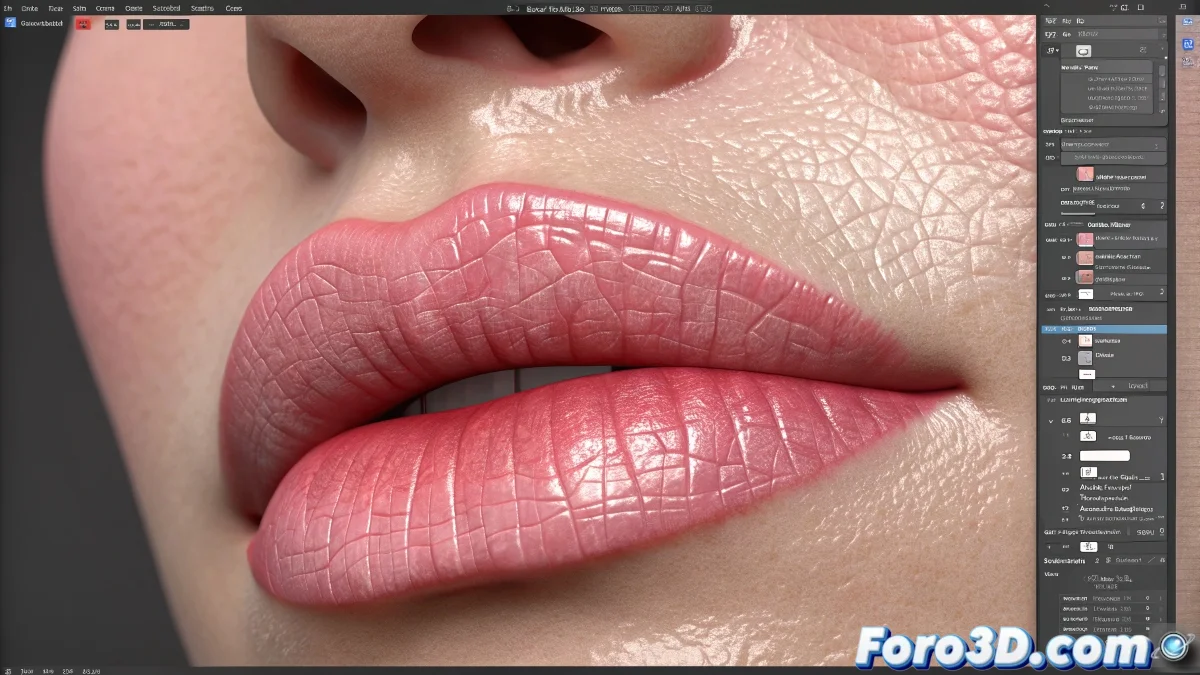
The Art of Capturing the Unique Texture of Lips
When you aim to create a realistic diffuse map for lips in Photoshop, those small grooves and lines you mention are exactly the details that separate a basic texture from a convincing one. Human lips have a unique topography composed of thousands of micro-furrows and folds that capture light in a distinctive way. These details are not random - they follow specific patterns that vary depending on the person, age, and even hydration. The key lies in recreating this complexity organically without it looking repetitive or artificial.
Essential Tools for Realistic Lip Textures
To capture those natural characteristics you need to combine several Photoshop techniques that allow you to work at different scales, from the major lip folds down to the almost imperceptible micro-textures.
- Custom texture brushes for the main lines
- Adjustment layers to control contrast and depth
- Noise and blur filters to smooth transitions
- Blending modes like Overlay and Soft Light for integration
Step-by-Step Technique for Lip Grooves
The most effective way to create those characteristic lines is to work on multiple layers with different approaches. Start with the general shapes and gradually add finer details, always maintaining the natural direction of the lip flow.
Texturing lips is like mapping a miniature landscape: every wrinkle tells a story of expression and movement
- Create a color base with the main lip tone
- Draw the main lines following the radial direction of the lip
- Add color variation in the transition areas
- Soften with a low-opacity brush to avoid an artificial look
Resources and References to Perfect Your Technique
To achieve truly professional results, studying photographic references is fundamental. Examine macro photographs of lips under different lighting conditions to understand how textures behave in various situations.
Mastering the creation of skin textures in Photoshop is a process of constant observation and practice 👄. Every lip you texture will teach you something new about how light interacts with organic surfaces and how small details contribute to the illusion of realism in your 3D creations.