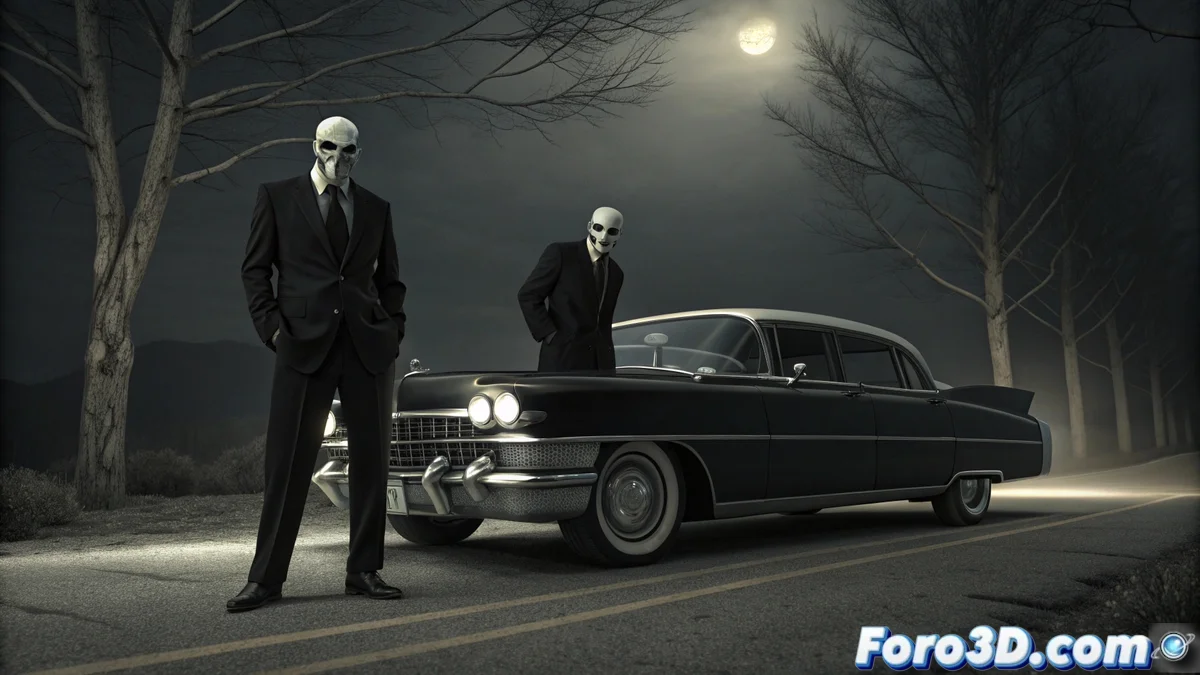
Creating a Folklore Men in Black Scene in Blender
The urban legend describes the Men in Black as mysterious emissaries who silence witnesses to strange phenomena. This guide explains how to build a scene in Blender that captures their unsettling essence and retro aesthetic, transforming 3D models into an image that looks like it's from a classified 1960s archive. 👽
Prepare the Basic Scene Elements
The first step is to establish the main visual components. You need two humanoid figures and a vintage vehicle. Focus on conveying a sense of artificiality and rigidity from the start.
Key actions to get started:- Model or import two human silhouettes and a classic car, like a Cadillac Fleetwood.
- Dress the characters in black suits that don't fit perfectly, suggesting something unusual.
- Adjust their poses to appear unnatural and mechanical, like posing dolls.
- Set up studio lighting with directional lights that cast hard and defined shadows.
A well-ironed suit doesn't compensate for a face that looks like a wax mask.
Apply the Cartoon Style and Refine the Faces
To achieve the 2D animation look, switch the render engine. Then, work on the facial details to accentuate the strange nature of these beings.
Process for the style and faces:- Activate the Eevee engine and in the render properties, select the Pencil 2D style. This turns the scene into lines and flat color areas.
- Use the Mirror modifier when sculpting the faces to achieve perfect and unsettling symmetry.
- In the Shader Editor, smooth the skin textures until eliminating any imperfection, creating a smooth and artificial surface.
Integrate Old Film Effects in the Compositor
The final atmosphere is achieved in Blender's Compositor. Here you add the layers of post-processing that evoke an old and worn photograph.
Steps in the compositing nodes:- Add an RGB to BW node to remove all color and work in black and white.
- Incorporate a Noise node or Noise Texture and blend it with the image to simulate film grain.
- Adjust contrast, brightness, and gamma levels to replicate the look of a poorly developed photo, with intense blacks and slightly washed-out whites.
By following these steps, you'll transform a conventional 3D scene into a graphic representation of UFO folklore. The combination of the Pencil 2D style, expressionless faces, and old film effects converges to create a visually striking piece loaded with mystery. 🕶️