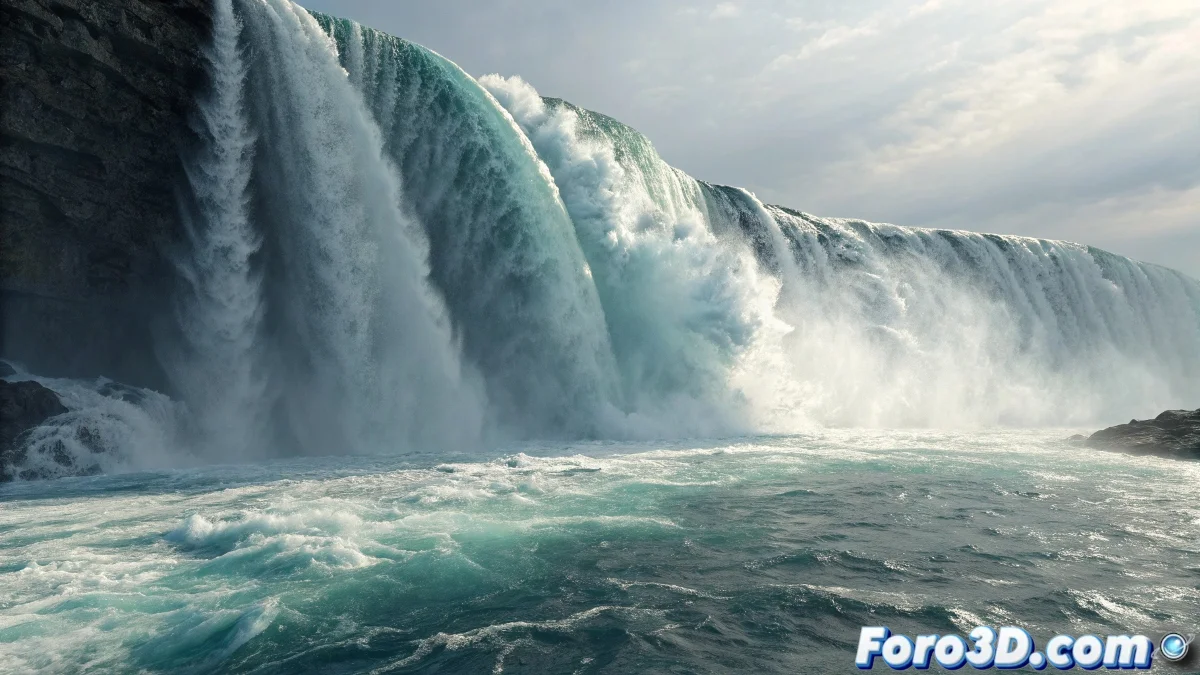
When Water Decides to Fall with Elegance
Creating a realistic waterfall in Maya is one of those challenges that separates beginners from advanced effects artists. Your approach of combining nParticles with the default ocean platform is solid, but as you've discovered, basic tutorials only take you so far. The real magic happens in the fine details: the spray, the splash, and the materials that make the water feel alive and in motion.
You've identified exactly the right questions that need answers to elevate your waterfall from "functional" to "spectacular". Each of these elements works together to create the illusion of real moving water.
Choosing the nParticles Type
For a waterfall, use nParticles of type Water. Water particles have specific properties for liquid simulation, including viscosity, cohesion, and surface tension that make them ideal for water. Ball particles are more for granular effects like sand or dust.
Set the Water properties with Viscosity 0.5-1.0 for natural flow, Surface Tension 30-50 to maintain water cohesion, and Density 2.0 (similar to real water). The Liquid Simulation parameter must be enabled for proper fluid behavior.
- Type: nParticles Water (not Ball)
- Viscosity: 0.5-1.0 for natural flow
- Surface Tension: 30-50 for cohesion
- Density: 2.0 for realistic behavior
A perfect waterfall is like a good orchestra: each particle knows its score and together they create harmony
Creating Spray and Luminance
For the spray, create a second nParticles system of type Cloud that emits from the collisions of the main system. Set up the emitter to generate small, fast particles when the main water particles hit surfaces. Use high Particle Size Random for variation.
The luminance is achieved through materials. For the main water, use a Phong or Blinn material with high Transparency (0.8-0.9), bright white Specular Color, and Reflectivity 0.7-0.9. Add a Ramp Texture to the color for tonal variation.
- Spray: Secondary nParticles Cloud
- Luminance: Phong material with high specular
- Transparency: 0.8-0.9 for translucent water
- Reflectivity: 0.7-0.9 for natural shine
Materials for Falling Water
The falling water texture needs to convey movement and transparency. Use a modified Ocean Shader or a Water Surface Shader with a Ramp connected to the color. Set up the ramp with deep blues in dense areas and light blue-greens in thin areas.
For the foam and turbulence effect, connect a Noise Texture to the bump channel with high frequency (5.0-8.0) and low amplitude (0.1-0.2). This creates that characteristic "churning" effect of falling water. Animate the noise offset for continuous movement.
- Material: Ocean Shader or Water Surface Shader
- Color: Ramp from deep to light blues
- Bump: Animated Noise Texture for turbulence
- Foam: Layer Texture for foam effects
Splash on the Ocean Platform
To make the particles create splash when hitting the ocean platform, convert the ocean into an nRigidBody passive collider. In the collision properties, adjust Collision Strength to 1.0 and Friction to 0.1-0.3 for a slippery impact.
The particle weight is controlled by the Mass parameter in nParticles. For water, use Mass 1.0 with Mass Scale 2.0 for heavier particles that create better splash. Enable Liquid Simulation and adjust Incompressibility to 5-10 for more "watery" behavior.
- Ocean platform: nRigidBody passive collider
- Collision Strength: 1.0, Friction: 0.1-0.3
- Mass: 1.0 with Mass Scale 2.0
- Incompressibility: 5-10 for watery behavior
Optimization for Maximum Realism
For automatic splash, enable Emit from Collisions in the main nParticles system. This generates secondary particles when water particles hit the ocean. Set up these secondary particles to be smaller, faster, and with shorter life, simulating splashes.
Lighting is crucial. Use side and back lights to highlight the water's transparency and movement. Consider adding a Volume Light or Light Fog to enhance the spray effect and create those characteristic light rays of real waterfalls.
- Emit from Collisions enabled for automatic splash
- Secondary particles: small, fast, short life
- Lighting: side and back lights
- Volume Light or Light Fog for atmospheric effect
Mastering these techniques will allow you to create waterfalls that truly transport the viewer to that world of moving water. Because in Maya, even the simplest particle can learn to dance like living water when it knows the right parameters 😏
Recommended Settings
Base values for realistic waterfall:
nParticles: Type Water, Viscosity 0.8
Mass: 1.0, Mass Scale 2.0
Collision: Strength 1.0, Friction 0.2
Material: Phong, Transparency 0.85
Spray: Cloud particles from collisions