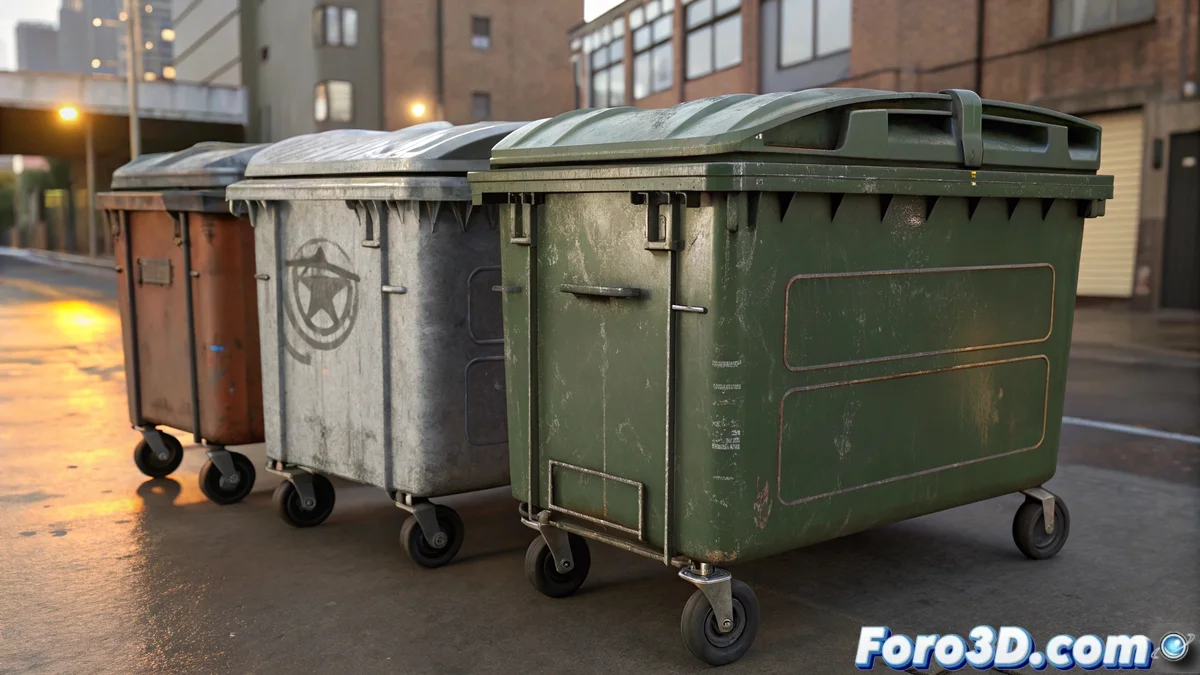
Modeling and Preparing the Urban Trash Bin
First, make sure you have a 3D model of the urban trash bin 🗑️. It can be a modern bin with a hinged lid and wheels, created directly in Houdini using primitives and subdivisions. Check that the normals are correctly oriented and the topology is clean to avoid issues when applying materials and textures. It is crucial to create separate groups for distinct parts like the lid, body, and wheels, as this will facilitate assigning specific materials to each component.
Creating Realistic PBR Materials in Houdini
In Houdini, use the Material Network to develop high-quality PBR shaders:
- Main Body: Plastic material with base color, soft reflection, and medium roughness
- Hinged Lid: Slightly different tone with a glossier finish
- Metal Hinges: Metallic material with high specular reflection
- Wheels: Combination of rubber (high roughness) and metal components
- Urban Wear: Variable roughness adjustments based on usage areas
- Reflections: IOR and specular reflectivity configuration
The key is to simulate the characteristic wear from constant urban use 🏙️.
Applying Textures and Wear Details
The magic of realism lies in the texturing details:
- UV Unwrap: Correct mapping for each part of the bin
- Albedo Maps: Base colors with tonal variations
- Roughness Textures: Control of roughness in contact areas
- Normal Maps: Surface details without increasing geometry
- Displacement: Minor dents and deformations
- Procedural/Bitmap Combination: Avoid repetitive patterns
Areas near the wheels and lid should show more wear and dirt 🎨.
Lighting and Rendering for Final Evaluation
To properly showcase all the details:
- Urban HDRI: Environment with soft light and contextual reflections
- Strategic Area Lights: Highlight wear details and textures
- Ray Tracing: Enabled in Mantra or Redshift for maximum quality
- Intensity Adjustment: Balance between lights and shadows
- Camera Angles: Emphasize areas with the best texturing
- Render Passes: Export separate passes for post-processing
Funny how you can spend hours creating hyper-realistic trash bins that no one will admire except other 3D artists
In the end, creating a realistic urban trash bin in Houdini demonstrates how attention to detail in modeling, PBR materials, and texturing can transform everyday objects into digital works of art. That said, it's probably the only time someone will examine a trash bin with so much care and dedication... at least virtually 😅.