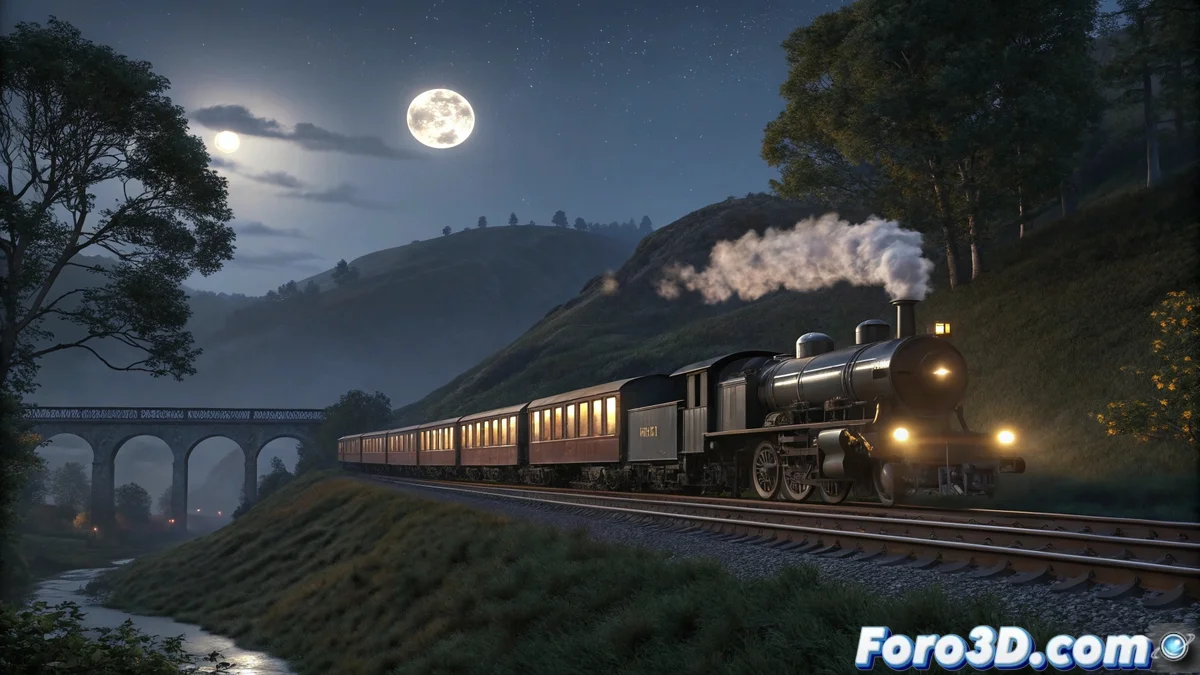
Building the Nocturnal Railway Setting
Start by creating an atmospheric environment with train tracks that fade into the darkness 🚂. Use Cinema 4D primitives to model gentle hills, silhouetted trees, and a railway bridge that adds visual depth. Set up a Sky Object with dark blue or soft purple tones to simulate the night sky. Add strategically placed Area Lights to simulate station lanterns or moonlight filtering through the vegetation. The lighting should be subtle, creating faint outlines that emphasize the train as the main element of the composition.
Realistic Train Modeling and Animation
For the train, you can choose different approaches depending on your desired level of detail:
- Basic Modeling: Use primitives and extrusions to create a stylized locomotive
- Asset Import: Use pre-existing models from online libraries
- Spline Wrap: Animating the train following the track layout
- Wheel Animation: Keyframes for rotation consistent with movement
- Speed Control: Adjust the animation curve for realistic accelerations
- Secondary Elements: Add carriages with slight movement variations
The key is to achieve smooth and believable movement without resorting to complex physical simulations 🎬.
Volumetric Smoke Simulation with Particles
The smoke is the element that will add drama and life to the scene:
- Emitter Object: Placed on the locomotive's chimney
- Parameter Adjustment: Speed, direction, and particle count
- Particle Shader: Combined with Volume Material for a dense look
- Turbulence and Gravity: Modifiers for natural upward movement
- Opacity Control: Gradients for progressive fading
- Variable Size: Particles that grow and disperse with height
For Redshift users, the volumetric Standard Material offers exceptional results 💨.
Dramatic Lighting and Final Render
Nocturnal lighting transforms a good scene into an extraordinary one:
- Volumetric Lights: That interact with the smoke and create light beams
- Depth of Field: Selective focus on the locomotive
- Volumetric Lighting: Enabled in Redshift for atmospheric effects
- Contrast Adjustment: Between lit areas and deep shadows
- Post-processing: Add slight haze and final color adjustments
- Render Settings: Adaptive sampling to balance quality/time
It's curious how you can spend hours perfecting the smoke and light, and in the end the train looks cleaner than any real locomotive
In the end, creating this scene in Cinema 4D demonstrates how the combination of modeling, animation, particle simulation, and lighting can produce impressive cinematic results. Although, our virtual locomotives will always be cleaner than the real ones... not a single speck of digital coal on the chimney 😅.