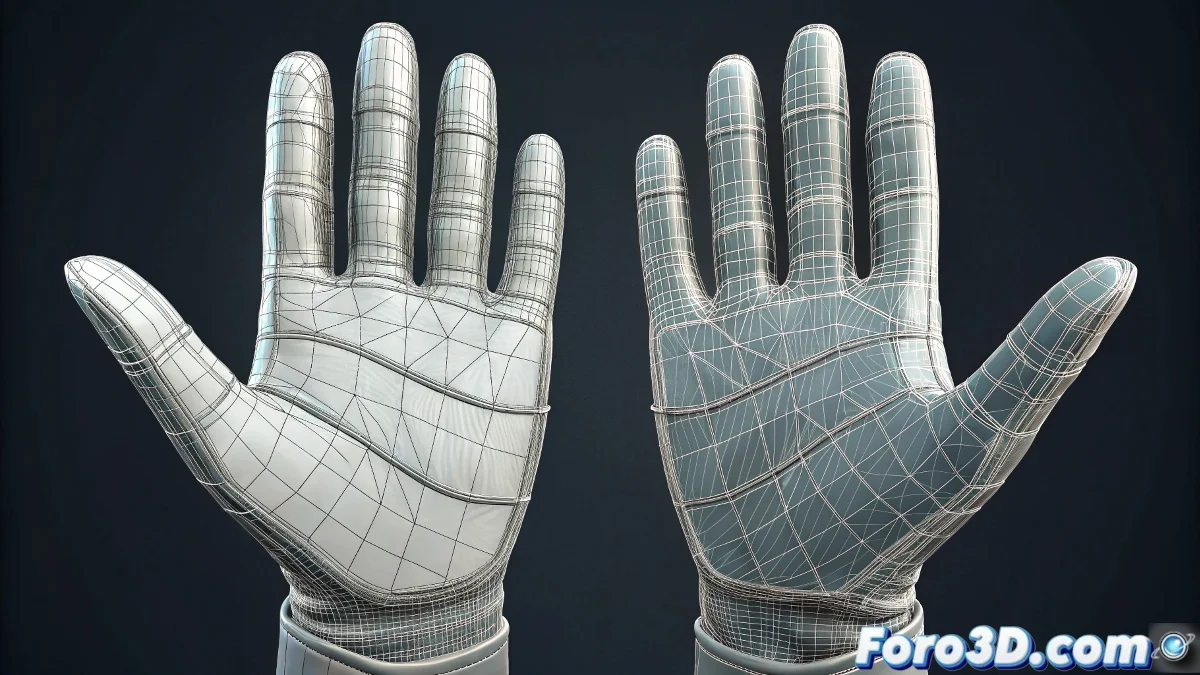
The Smart Shortcut for Symmetrical UVs
When you've dedicated time and effort to perfectly unwrapping the UVs of one hand and you face the prospect of repeating exactly the same work for the symmetrical hand, you are in the perfect scenario to take advantage of one of the most valuable functions of the Unwrap UVW modifier in 3ds Max. There is indeed a much more efficient solution than working vertex by vertex, especially when dealing with symmetrical objects like human hands. The good news is that 3ds Max includes specific tools for copying and transferring UV coordinates between objects, although the process requires some specific steps to ensure the mapping is applied correctly considering the symmetry between both hands.
Direct UV Copying Method
To transfer the work you already did on the first hand to the second one, you need to use the copy functions within the UVW Unwrap editor. This method is ideal when both hands have identical or very similar topology.
- Select the already unwrapped hand in the UVW Unwrap editor
- Use the Save tool to save the current layout
- Apply the same modifier to the second hand
- Load the saved layout onto the new hand
Mirroring Technique for Symmetrical Objects
When working with symmetrical body parts, you need to adjust for the opposite orientation of the second hand. Direct copying will give you the same orientation, but you will likely need to mirror it horizontally.
Copying UVs between symmetrical objects is like using a tracing paper: you get the same quality with a fraction of the effort
- Copy the Unwrap UVW modifier from the first hand
- Paste it onto the second hand as an instance or copy
- Apply a mirror transformation in the UV editor
- Adjust the final position in UV space
Step-by-Step Workflow
To ensure the best results, follow this orderly process that minimizes errors and maximizes efficiency.
Mastering these UV transfer techniques not only saves you hours of repetitive work but also allows you to maintain visual consistency between symmetrical parts of your models 🖐️. Every time you use these methods, you are optimizing your workflow and freeing up time to focus on the creative aspects of your project instead of repetitive technical tasks.