Control How Colors Blend in 3D Graphics and Video
In the visual world, light doesn't stop upon hitting a surface. It carries chromatic information that can "stain" other elements in the scene. Understanding and mastering this phenomenon is key to producing clean images or with controlled realism. 🎨
The Physical Phenomenon Behind Color Blending
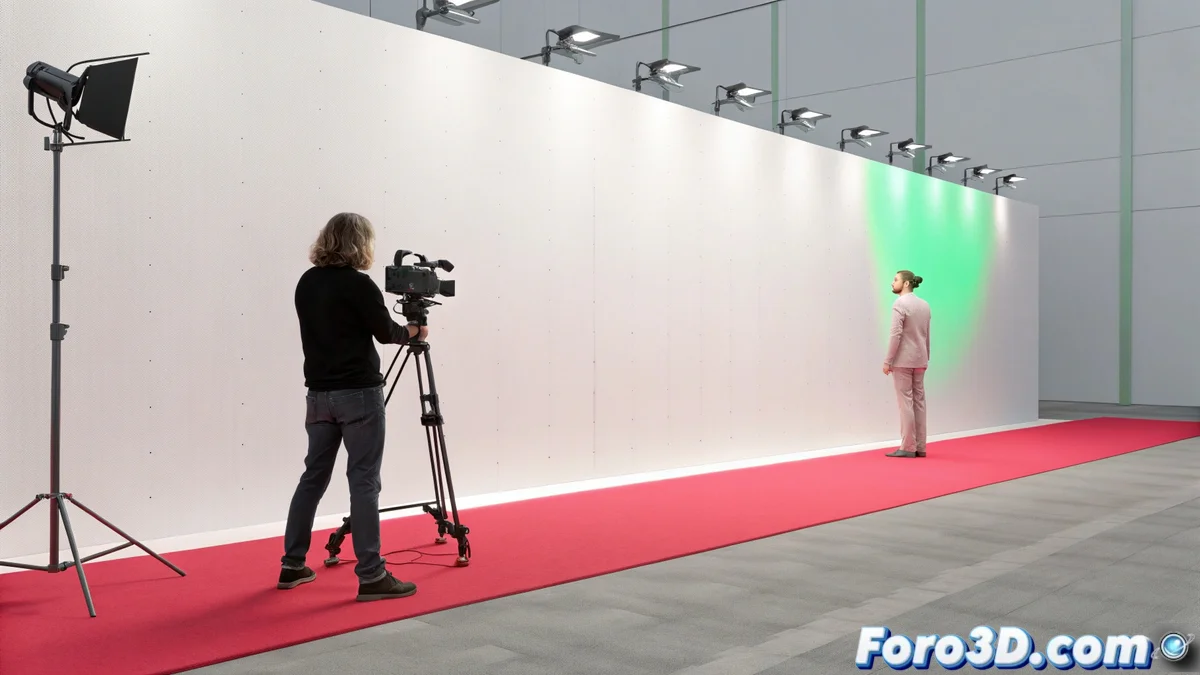
When light bounces between objects, it carries part of its color with it. In a 3D render, this causes a white wall next to a red object to take on a pinkish tint, an effect known as color bleed. In video, especially when using chroma key, light from the background (green or blue) bounces off the subject, creating an unwanted halo called color spill. Both are simulations or results of a physical principle, but if not managed, they can degrade the final quality.
Key Strategies for 3D Rendering:- Adjust the indirect light bounces in the render engine. Reducing them globally limits the effect, but can make the lighting appear flat.
- Use specific materials that do not contribute to global illumination, such as matte shaders.
- Control the influence radius of indirect light or process irradiance maps separately for key elements, thus isolating their colors.
The real challenge is not always to eliminate the effect, but to decide when a bit of contamination adds realism and when it just looks like an error.
Correcting the Halo in Video Compositing
To avoid color spill from the recording phase, it is vital to light the subject and the chroma background independently and separate them as much as possible. In the post-production stage, dedicated tools are used.
Post-Production Techniques for Video:- Despill or spill suppression tools. These select and reduce the intensity of the background color channel (green or blue) specifically on the subject's edges.
- Combine this correction with a slight blur or a mask contraction effect to soften and clean the edges more naturally.
- A clean capture and good initial separation greatly simplify subsequent correction work.
Balancing Realism and Control
The final artistic decision is crucial. A wall slightly tinted by a nearby carpet can add an organic and believable feel in a 3D render. On the contrary, a green halo around a person's hair in chroma key video rarely goes unnoticed and is considered a defect. Mastering these techniques allows for intentional choices on when to let light interact freely and when to contain it to achieve the desired visual result. ⚖️