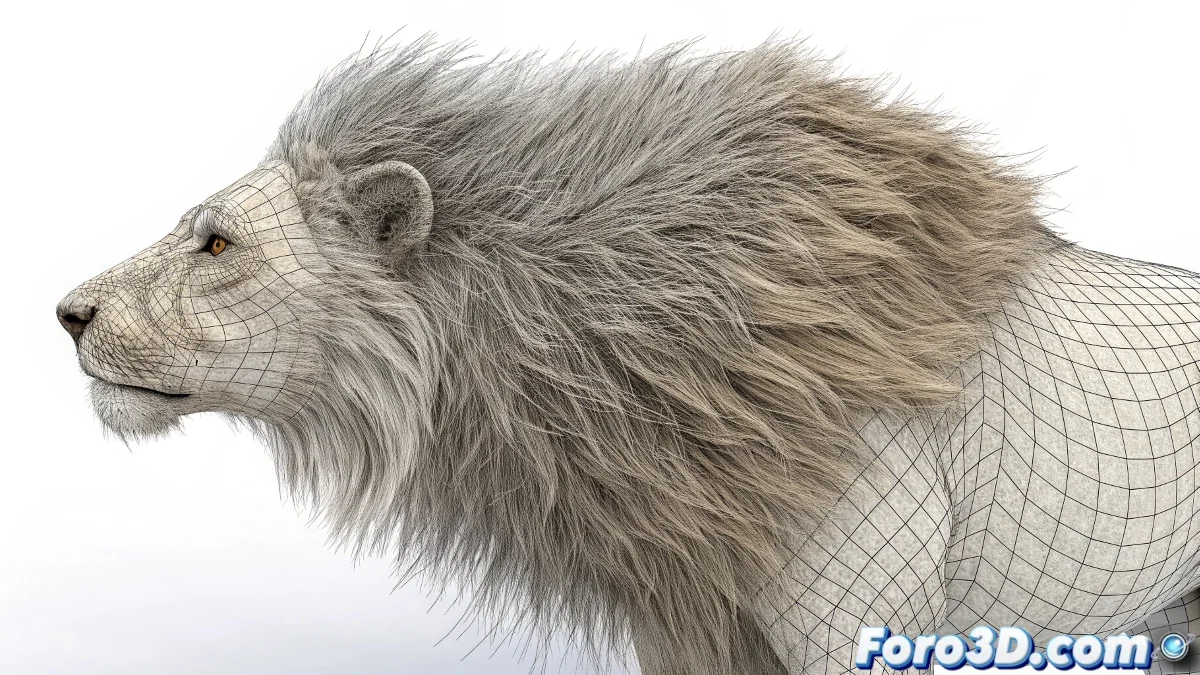
The Rebellious Hair of 3ds Max
That moment of frustration when you've animated your character perfectly, but the hair decides to live its own life without caring about the laws of physics. The Hair and Fur system can be capricious, especially when it comes to collisions during animation.
Many artists spend weeks tweaking parameters without getting the hair to interact correctly with the character's mesh. It's as if the hair has a life of its own and decides to float magically through shoulders and clothing.
Virtual hair has a natural tendency to ignore collisions, as if it were in its own dimensional plane of existence
Essential Settings for Realistic Collisions
The problem is generally not in the character's animation, but in how the Hair and Fur dynamics system is configured. These settings make the difference between obedient hair and anarchic hair.
- Collider object selection: verify that the correct mesh is assigned as the collider
- Collision distance: adjust the value so it's not too large or too small
- Simulation dynamics: configure appropriate precision and subsampling
- Real-time update: enable preview during animation
Critical Parameters Everyone Overlooks
There are less obvious settings that may be sabotaging your collisions. The collision deadzone is particularly treacherous, creating an area where the hair completely ignores the geometry.
The character's scale also dramatically affects the hair's behavior. Dynamics values that work for a human character can be disastrous for a giant or a small creature 😅
- Deadzone adjustment: reduce this value for more precise collisions
- Global scale: adapt parameters to the model's actual size
- Static vs dynamic: balance stiffness and natural movement
- Simulation cache: save and review dynamics calculations
Step-by-Step Solution for Persistent Collisions
When nothing seems to work, it's time for a systematic approach. Start by creating a simple test scene with basic geometry to isolate the problem before applying it to your complex character.
Exporting and re-importing the hair system can reset corrupted settings. Sometimes the problem is a persistent bug that is solved by recreating the system from scratch with optimized settings.
- Create test scene with sphere and simple plane
- Reset all dynamics and start from scratch
- Test with different collider mesh resolutions
- Update to the latest version of 3ds Max or apply patches
After following these steps, your hair should behave properly... or at least give you a new type of problem to entertain yourself with for the next month 🎯