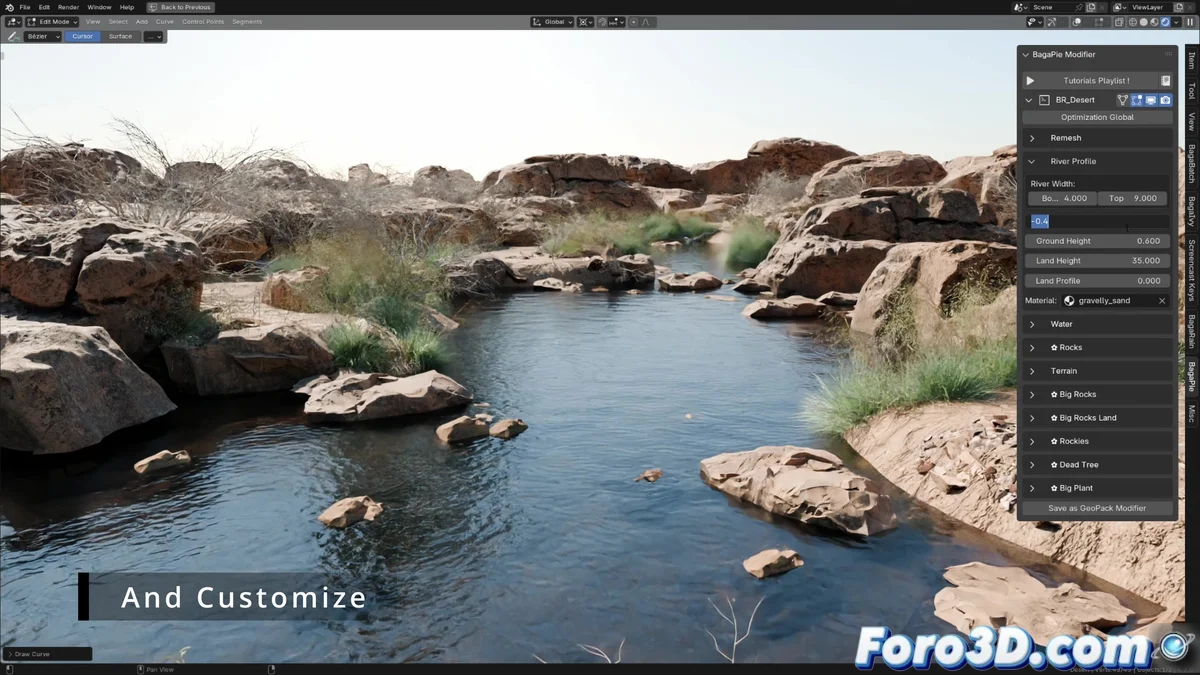
Baga River Generator: The Shortcut to Creating Rivers Without Getting Your Feet Wet
Creating realistic rivers in Blender used to be as complicated as swimming upstream. 🌊 But thanks to the new Baga River Generator add-on, now you can draw a scribble and voilà! - have a complete river with banks, vegetation and everything, without needing to be an expert in fluid simulations.
From a Stroke to a River in Seconds
This plugin makes creating waterways as easy as:
- Drawing a line (yes, like when you pretended to work in class)
- Watching it come to life with automatic water and vegetation
- Adjusting in real-time because even rivers need a diet sometimes
"It's like having a surveyor assistant who never argues with your bad design decisions"
Four Landscapes for All Tastes
For artists in a hurry (or feeling lazy), the plugin offers:
- An arid desert (for the minimalists)
- Three vegetation densities (from "municipal park" to "impenetrable jungle")
- Over 30 ready-to-use assets (rocks, trees, and shrubs that don't require watering)
The Good, The Bad, and What's Coming
The water has no foam (yet) and the vegetation doesn't move, but hey, at least you won't have to deal with real mosquitoes! 🌿 The add-on works in both Cycles and Eevee, proving that even virtual rivers can have two personalities.
So if you need a river for your scene and don't want to spend three days tweaking parameters, this plugin is your salvation. After all, in the 3D world, what matters is that it looks real... not that it is. 😉
PS: If after using this tool your rivers still look like drainage ditches, the problem isn't the software. 🎨