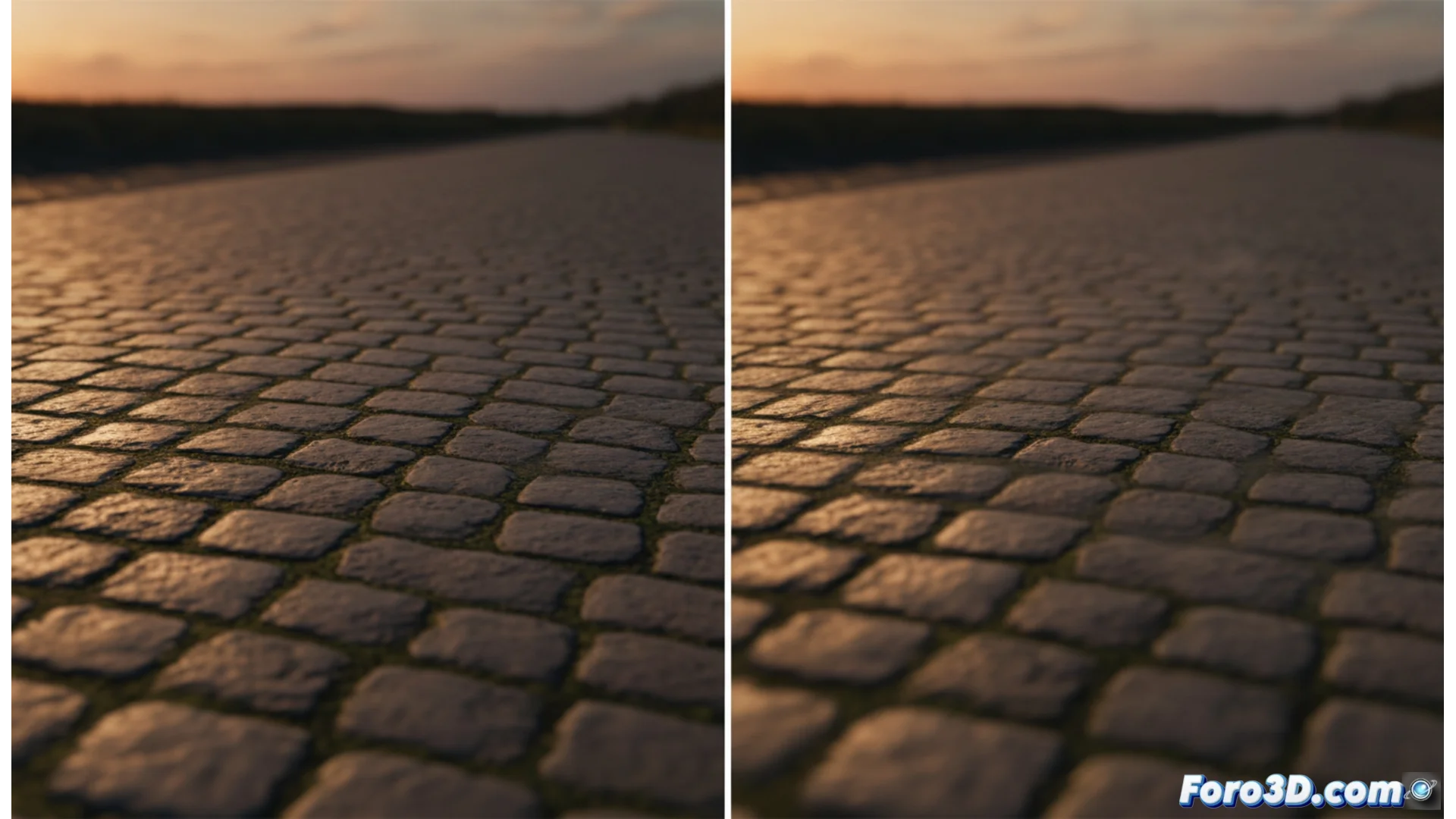
Anisotropic filtering improves texture clarity at oblique angles
In computer-generated graphics, a common problem is that inclined or distant surfaces lose definition and appear as a blur. Anisotropic filtering, known as AF, is the technical solution that processes textures to prevent this. While methods like bilinear or trilinear filtering fail in these perspectives, AF specializes in maintaining sharpness where it's most needed. 🎮
Why textures blur without this filter
When a polygon, like the ground in a game, moves away or tilts in front of the camera, the texture area that must cover a pixel on screen deforms and stretches. Traditional filters sample from a small square area, which is insufficient to cover that elongated zone. The result is that texels (texture pixels) are averaged incorrectly, generating that blurry and undefined appearance that spoils immersion.
Problems solved by AF:- Floor and road textures: Prevents them from looking like a homogeneous smudge when looking toward the horizon.
- Wall details: Preserves the definition of bricks, cracks, or signs when viewed from the side.
- Repetitive patterns: Keeps elements like grass, tiles, or grates clear in forced perspectives.
Anisotropic filtering intelligently adapts the sampling pattern to the texture deformation on screen, taking more samples along the axis where it stretches the most.
How anisotropic sampling works
The key lies in how samples are taken from the original texture. AF analyzes the direction and degree of elongation of the texture area corresponding to each pixel. Instead of a square, it uses an elongated and narrow sampling pattern that precisely follows that deformation direction. This involves querying more texels from the original texture, a process that requires more computational power, but ensures that the visual information is reconstructed with much greater fidelity.
Key differences in the process:- Adaptive sampling: Does not use a fixed area, but adjusts it according to the polygon's inclination.
- More texture queries: For a pixel, it can sample a line of texels instead of a compact group.
- Visual result: Eliminates the "melting" effect or progressive blur, showing clear and recognizable details.
Where and how to enable anisotropic filtering
Video games rarely include this option in their internal menus. To configure it, you must access your graphics card software. On systems with NVIDIA GPUs, it is managed from the NVIDIA Control Panel. For AMD users, the control center is AMD Software: Adrenalin Edition. From these panels, you can force it to apply to all games or configure it individually for each program. ⚙️
The main setting is the filtering level