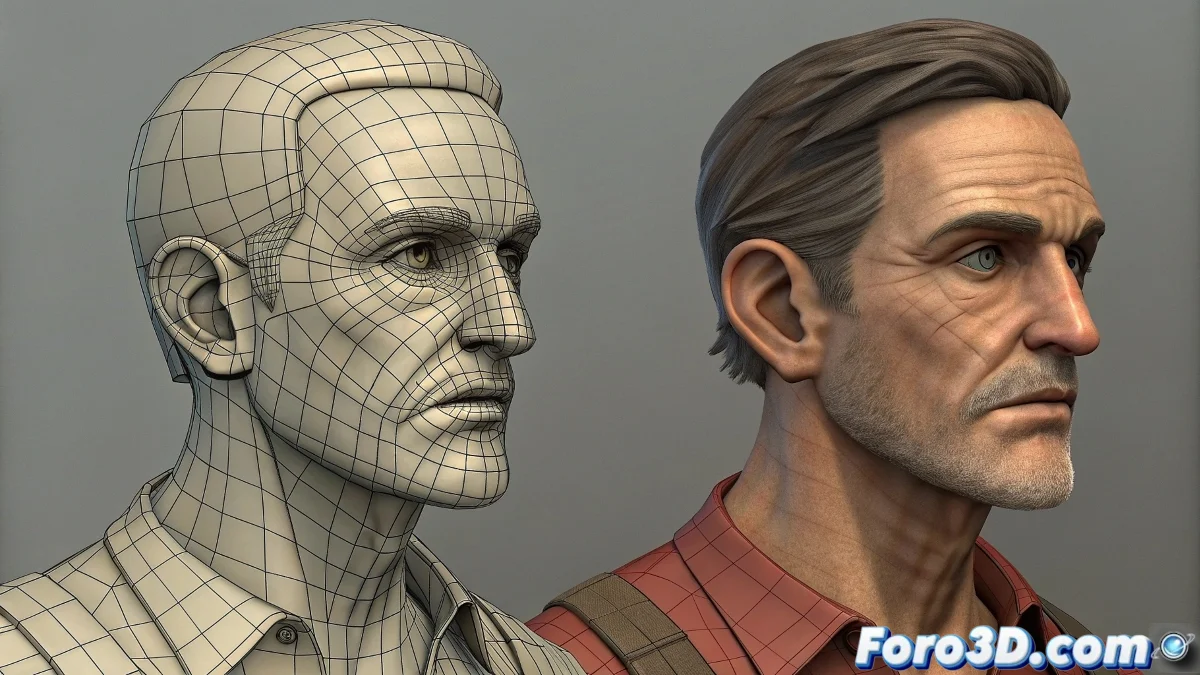
The Bridge Between Efficiency and Detail
Transferring animation between low poly and high poly versions of the same character is like translating a language while maintaining the essence of the message 🏗️. This technique allows leveraging the agility of animation in lightweight models while preserving the visual detail of high poly sculptures, creating a workflow that combines the best of both worlds.
The Critical Importance of Structural Consistency
The success of the transfer depends almost entirely on the structural coherence between the two versions of the model. Any discrepancy in proportions or topology will be amplified during the transfer process.
- Equivalent proportions: Same dimensions and spatial relationships
- Compatible topology: Mesh flow that allows similar deformation
- Identical hierarchy: Same bone structure and parental relationships
- Aligned pivots: Equivalent rotation points on both models
A well-configured Skin Wrap is like a perfect simultaneous translator: it transmits the movement without losing the meaning.
Skin Wrap: The Elegant and Efficient Solution
The Skin Wrap modifier represents the most direct and efficient solution for transferring animation between models of different resolutions.
- Automatic connection: Linking based on geometric proximity
- Adjustable influence: Control of influence radius and falloff
- Real-time feedback: Immediate visualization of results
- Non-destructive: Preserves original animation intact
Skin Wrap Workflow
Following a specific sequence of operations ensures optimal results with Skin Wrap.
- Complete animation on low poly model with finalized rig
- Import high poly model to the same scene
- Apply Skin Wrap to the high poly model
- Select low poly model as controller
- Adjust influence and falloff parameters
- Convert to Skin Modifier for independent operation
Post-Transfer Adjustments
Even with a successful transfer, certain fine adjustments are usually necessary to perfect the result.
- Weight painting refinement: Adjust influences in problematic areas
- Morph target correction: Use morphs to correct specific deformations
- Constraint adjustment: Adjust existing constraints for the new model
- Animation polishing: Refine keyframes in critical areas
Alternative Approach: Cloning and Manual Adjustment
For cases where the differences between models are significant, a more manual approach offers greater control.
- Skeleton cloning: Copy complete rig to the new model
- Manual skinning: Apply Skin Modifier and assign weights manually
- Weight transfer: Use weight transfer tools
- Bone-by-bone adjustment: Reposition bones to match new geometry
Solution to Common Problems
Specific problems often appear during the transfer and require targeted solutions.
- Excessive deformations: Reduce influence radius in Skin Wrap
- Geometry clipping: Adjust weights in overlapping areas
- Animation lag: Optimize high poly mesh density
- Scale discrepancies: Apply transformations before the process
Optimization for Production Pipeline
Integrating this technique efficiently into a pipeline requires additional considerations.
And when your transfer creates deformations that look like abstract art, you can always argue that it's a new form of digital artistic expression 🎨. After all, in 3D animation, sometimes technical "errors" become unique stylistic features.